UpscaleAI Creative ClubLaunch priceending soonNew guide: Personal branding, built with Claude75K+ on InstagramEvery prompt free to copyNew guide: Personal branding, built with ClaudeJoin Upscale

Landing Page Motion Pack

Twelve animations for every section of a landing page, from the hero to the checkout button. Copy a prompt, paste it into Claude, and you get a single HTML file you can drop into your page.

ZeePosted byZee @zeeuiuxWebsites
Before you start

Copy, paste, make it yours.

  1. 01.Copy a prompt: pick the section you need and hit Copy prompt.
  2. 02.Paste it into Claude: Opus 5.5 returns one self-contained HTML file. Open it in any browser.
  3. 03.Make it yours: ask for your colours, copy and timing. Ready-made tweaks are at the bottom.
Slide 01 of 12
01.Motion 01 of 12 · Hero

Every word arrives on cue.

Use it for the first 3 seconds of any landing page.

PromptPrompt · 01 Hero reveal

Build a landing page hero as one self-contained HTML file (inline CSS and vanilla JS, no libraries).

Layout: a pill badge ("New · AI-built landing pages"), a 3-line headline "Design that / sells while / you sleep.", one line of supporting copy, a black "Start free" button, an outline "Watch demo" button, and a product dashboard card peeking up from the bottom edge.

Motion on load

1. The badge drops in 16px and fades in (0.6s).

2. Each headline word rises 28px from a 14px blur to sharp, staggered 90ms, ease-out-cubic.

3. An accent underline draws under "sells" from left to right.

4. The copy fades up, then both buttons spring from 0.6 to 1 scale with a slight overshoot.

5. The dashboard card tilts up from rotateX(30deg), 260px lower, into place.

6. A soft shine sweeps across "Start free" once.

Style: Google Sans, near-black #0A0A0A, accent #EF6237, generous white space. Loop the sequence every 7s and respect prefers-reduced-motion.

Slide 02 of 12
02.Motion 02 of 12 · Hero

One headline, four promises.

Use it for a hero that speaks to every visitor.

PromptPrompt · 02 Word rotator

Build a kinetic headline as one self-contained HTML file (inline CSS and vanilla JS, no libraries).

Three centred lines at 92px on a near-black background: "We design" / rotating word / "that convert."

The rotating word sits inside an orange (#EF6237) pill with black text and cycles through "landing pages", "brands", "pitch decks", "launch films".

Motion

1. Every 1.85s the words slide up one slot like a slot machine, driven by a spring (slight overshoot, settles in about 0.5s).

2. At the same moment the pill's width springs to fit the new word, so the text around it never jumps. Measure each word with JavaScript after document.fonts.ready.

3. Words that are off-centre fade to 15% opacity.

4. A soft orange glow breathes behind the pill, and four small dots show which word is active.

Loop seamlessly by repeating the first word at the end of the strip. Respect prefers-reduced-motion.

Slide 03 of 12
03.Motion 03 of 12 · Social proof

Orders land. Revenue climbs.

Use it for social proof on an e-commerce page.

PromptPrompt · 03 Sale pings

Build an e-commerce social proof scene as one self-contained HTML file (inline CSS and vanilla JS, no libraries).

Left: an iPhone-style lock screen (dynamic island, date, 9:41, dark gradient wallpaper with a warm glow).

Right: a white "Today's revenue" card with a big counter, a "vs yesterday" chip and a sparkline, plus a small "Live visitors" card with a pulsing green dot.

Motion

1. Every 1.1s an order notification drops in from the top of the phone with a spring: "New order · $129.00 — Ava in Dubai · Glow Serum".

2. Older notifications are pushed down one slot by the same spring. After four, the oldest fades and shrinks away.

3. With each order the revenue counter counts up by that amount (ease-out, 0.6s) and the sparkline draws one segment further, with a dot riding its tip.

Use five sample orders, label the scene "sample data", use tabular numbers, and loop every 7s.

Slide 04 of 12
04.Motion 04 of 12 · Social proof

Testimonials that deal themselves.

Use it for reviews without a boring grid.

PromptPrompt · 04 Review shuffle

Build a testimonial stack as one self-contained HTML file (inline CSS and vanilla JS, no libraries) on a near-black background.

Four white review cards sit in a stack. Each card behind is 26px higher, 6% smaller and a little darker. A card shows five stars, a two-line quote in large bold type, and an avatar with initials, a name and a role.

Motion

1. The front card's stars fill orange (#EF6237) one by one with a small pop.

2. Every 1.75s the front card swipes off to the left with a slight rotation and fades out.

3. The rest of the stack eases forward one step (ease-in-out-cubic), and the old card fades back in at the back.

4. Under the stack: "4.9 average from 2,140 reviews".

Loop seamlessly after all four cards. Mark the reviews as sample content.

Slide 05 of 12
05.Motion 05 of 12 · Social proof

Numbers that count while you look.

Use it for the results section that builds trust.

PromptPrompt · 05 Count-up stats

Build a results section as one self-contained HTML file (inline CSS and vanilla JS, no libraries) in a bento layout on white.

Tiles

1. A large ring chart that draws to 76% while its number counts up ("Return customers", "+12% this quarter" chip).

2. A revenue tile counting to $2.4M, with seven bars growing in sequence (the last bar orange).

3. A rating tile counting 0.0 → 4.9 with five stars filling.

4. A wide line chart that draws itself left to right with a soft area fill, ending in a dot and a "+38% conversions" tooltip that pops in.

Count with ease-out-expo over about 1.8s, stagger tiles by 100ms, use tabular numbers so digits don't wobble, accent #EF6237, and loop every 7s.

Slide 06 of 12
06.Motion 06 of 12 · Features

Feature tiles snap into place.

Use it for a features section that isn’t a list.

PromptPrompt · 06 Bento build

Build a features bento grid as one self-contained HTML file (inline CSS and vanilla JS, no libraries) on near-black.

Five tiles in a 3×2 grid (the first spans two columns):

  • "Writes your copy": a sentence types out with a blinking caret.
  • "Live analytics": bars grow one after another.
  • "200+ integrations": coloured dots orbit a centre in two rings.
  • "Built for teams": four avatars slide into a stack, then a "+12" chip.
  • "Bank-grade security": a shield with a check that draws in, plus pulse rings.

Motion

1. Each tile flies in from a different offset and rotation and snaps into place with a spring that overshoots once, staggered 120ms.

2. Then each tile's mini animation plays.

3. A soft radial spotlight glides across the tiles like a hovering cursor.

Accent #EF6237. Loop every 7s.

Slide 07 of 12
07.Motion 07 of 12 · Features

A fake cursor demos your product.

Use it for showing a SaaS app without a screen recording.

PromptPrompt · 07 Cursor tour

Build a product walkthrough as one self-contained HTML file (inline CSS and vanilla JS, no libraries): a SaaS app window with a sidebar, a "Projects" page, two project cards, an empty slot and a "New project" button.

Animate a fake cursor along gently curved paths:

1. It clicks "New project": the button presses and a ripple expands from the click.

2. A modal springs open. The cursor clicks the input and types "Spring launch" with a blinking caret.

3. It clicks "Create": the modal closes and a new project card pops into the empty slot with an orange highlight ring.

Add Screen Studio-style auto-zoom: the whole window (cursor included) scales up to about 1.4× around each action and eases back out, clamped so the view never leaves the window. Ease-in-out for every camera move. Loop every 7s.

Slide 08 of 12
08.Motion 08 of 12 · How it works

A line draws through every step.

Use it for the “how it works” section.

PromptPrompt · 08 Process draw

Build a "How it works" section as one self-contained HTML file (inline CSS and vanilla JS, no libraries) on a dark background.

Three steps (Brief, Design, Launch) sit on an S-curved SVG path, each with a card below it.

Motion

1. A dim dashed track shows the whole path. An orange (#EF6237) line draws over it from left to right over 3s, with a glowing dot at its tip (use getTotalLength and getPointAtLength).

2. When the line reaches a step, its circle springs to orange and a check mark draws inside.

3. That step's card slides up from below with its title and one line of copy.

4. After the last step, a "Your page is live" pill with a pulsing green dot fades in.

Loop every 7s.

Slide 09 of 12
09.Motion 09 of 12 · Results

Drag the line, see the glow-up.

Use it for redesign case studies and portfolio posts.

PromptPrompt · 09 Before / after

Build a before/after redesign slider as one self-contained HTML file (inline CSS and vanilla JS, no libraries).

"Before": a deliberately dated website for a skincare brand: serif fonts, a blue header bar, underlined links, a grey placeholder image, a bevelled "CLICK HERE" button and a visitor counter.

"After": a clean modern hero for the same brand: bold sans headline, two buttons, a product visual and a rating chip.

Stack both layers and clip the "after" layer with clip-path: inset() from a vertical divider with a round handle.

Motion

1. The handle sweeps slowly left to reveal the full redesign, pauses, sweeps back to the middle with a small wiggle, then returns to the start.

2. The handle grows slightly while it moves.

3. BEFORE / AFTER labels only show when their side is visible.

Make the handle draggable as well. Loop every 7s.

Slide 10 of 12
10.Motion 10 of 12 · Pricing

Prices spin like an odometer.

Use it for making “yearly” feel like a win.

PromptPrompt · 10 Price roll

Build a pricing section as one self-contained HTML file (inline CSS and vanilla JS, no libraries).

A Monthly/Yearly segmented toggle with a black sliding pill, and a "Save 20%" badge that springs in when Yearly is on. Three plan cards: Starter $19, Pro $49, Team $99 (yearly $15, $39, $79). The middle card is dark with a "Most popular" chip.

Motion

1. When the toggle flips, every price rolls like an odometer: each digit is a vertical strip of 0–9 that spins to its new value, the ones column spinning a full extra turn.

2. "billed monthly" / "billed yearly" swaps with a quick crossfade.

3. A fake cursor clicks Yearly, hovers the Pro card (it lifts), then clicks Monthly.

Accent #EF6237, Google Sans, tabular digits. Loop every 7s.

Slide 11 of 12
11.Motion 11 of 12 · Pricing

Checks for you. Crosses for them.

Use it for the section right before your pricing.

PromptPrompt · 11 Us vs them

Build a comparison table as one self-contained HTML file (inline CSS and vanilla JS, no libraries) on near-black.

Columns: feature, "Others", "Us". Rows: Live in 14 days, Unlimited revisions, Conversion-first design, One fixed monthly price, Figma files included.

Motion

1. The "Us" column gets an orange-tinted highlight panel with an orange border and glow that grows in from the top.

2. Rows reveal one by one every 450ms: the label slides in from the left, the "Others" cell draws a grey ✕ (two SVG strokes), and the "Us" cell pops an orange circle and draws a white check with stroke-dashoffset.

3. Finish with a white "Switch in 2 minutes →" button that springs in under the table.

Loop every 7s.

Slide 12 of 12
12.Motion 12 of 12 · Conversion

A button that throws a party.

Use it for the last click on your page.

PromptPrompt · 12 Click → success

Build a CTA micro-interaction as one self-contained HTML file (inline CSS and vanilla JS, no libraries) on white.

A big black pill button: "Get started, it's free →".

Motion

1. A fake cursor glides in and hovers: the button lifts 4px and a light shine sweeps across.

2. On click it squashes to 94%, the label fades, and the pill morphs into a circle with an orange spinning arc.

3. After a beat the circle turns orange (#EF6237), a white check draws in with a spring pop, and 44 confetti pieces burst out with gravity, spin and fade. Use a seeded random so it looks the same every loop.

4. "You're in!" and "Check your inbox for your login." fade up below.

Loop every 7s and respect prefers-reduced-motion.

13.After · Follow-up prompts

Make it yours.

Send one of these right after the first result to fit the animation to your brand. Tap a line to copy it.

Downloads

Take it with you.

The files for this guide. Free.

MDLanding-Page-Motion-Pack.mdMarkdown · 12 prompts + 6 tweaksDownload

More free guides

Newest first
LinkedIn

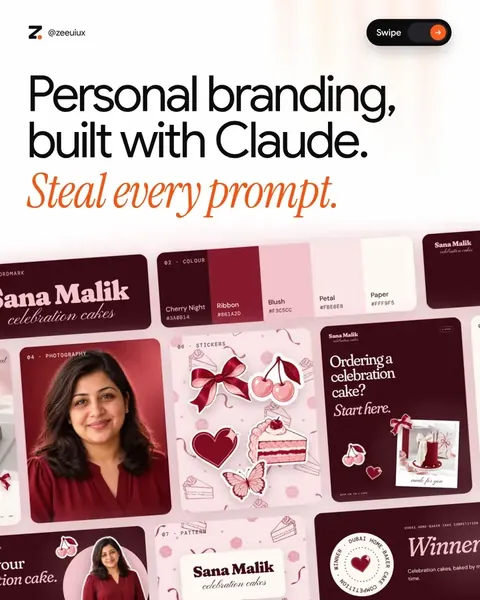
Personal branding, built with Claude.

Headshots, banner, Featured and carousels. 26 prompts.Open the guide
1/19
Design · Claude skill

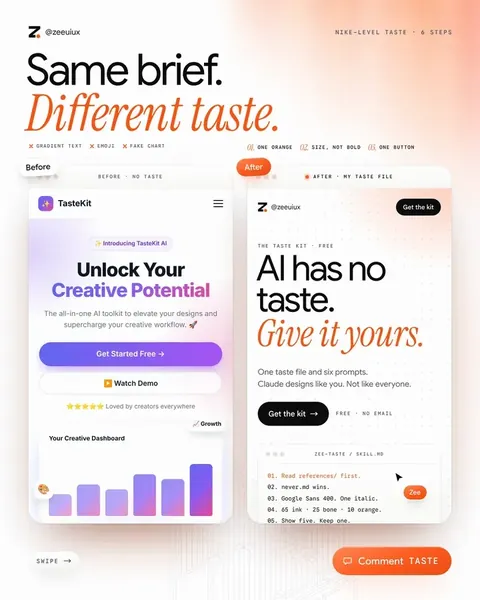
Give Claude your taste.

Six steps, six prompts to copy and one file to fill in.Open the guide
1/10
Video & reels

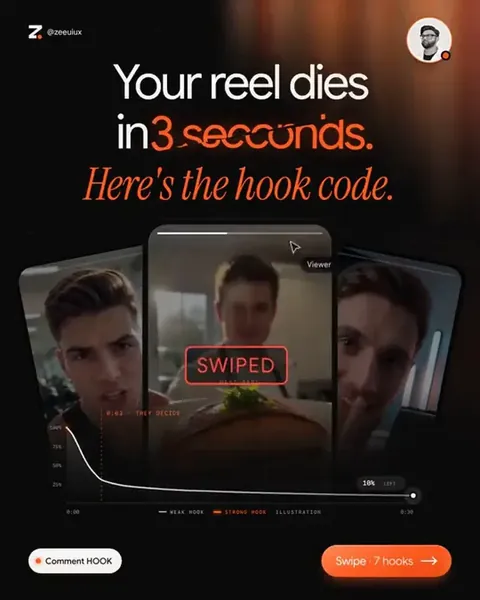
The Hook Code.

50 fill-in-the-blank reel hooks for any niche.Open the guide
1/10

UpscaleJoin Upscale
Launch price ending soon · Join now75K+ on InstagramEvery prompt free to copyLaunch price ending soon · Join now

Landing Page Motion Pack

Twelve animations for every section of a landing page, from the hero to the checkout button. Copy a prompt, paste it into Claude, and you get a single HTML file you can drop into your page.

ZeePosted byZee @zeeuiuxWebsites
Before you start

Copy, paste, make it yours.

  1. 01.Copy a prompt: pick the section you need and hit Copy prompt.
  2. 02.Paste it into Claude: Opus 5.5 returns one self-contained HTML file. Open it in any browser.
  3. 03.Make it yours: ask for your colours, copy and timing. Ready-made tweaks are at the bottom.
01/12
01.Motion 01 of 12 · Hero

Every word arrives on cue.

Use it for the first 3 seconds of any landing page.

PromptPrompt · 01 Hero reveal

Build a landing page hero as one self-contained HTML file (inline CSS and vanilla JS, no libraries).

Layout: a pill badge ("New · AI-built landing pages"), a 3-line headline "Design that / sells while / you sleep.", one line of supporting copy, a black "Start free" button, an outline "Watch demo" button, and a product dashboard card peeking up from the bottom edge.

Motion on load

1. The badge drops in 16px and fades in (0.6s).

2. Each headline word rises 28px from a 14px blur to sharp, staggered 90ms, ease-out-cubic.

3. An accent underline draws under "sells" from left to right.

4. The copy fades up, then both buttons spring from 0.6 to 1 scale with a slight overshoot.

5. The dashboard card tilts up from rotateX(30deg), 260px lower, into place.

6. A soft shine sweeps across "Start free" once.

Style: Google Sans, near-black #0A0A0A, accent #EF6237, generous white space. Loop the sequence every 7s and respect prefers-reduced-motion.

02/12
02.Motion 02 of 12 · Hero

One headline, four promises.

Use it for a hero that speaks to every visitor.

PromptPrompt · 02 Word rotator

Build a kinetic headline as one self-contained HTML file (inline CSS and vanilla JS, no libraries).

Three centred lines at 92px on a near-black background: "We design" / rotating word / "that convert."

The rotating word sits inside an orange (#EF6237) pill with black text and cycles through "landing pages", "brands", "pitch decks", "launch films".

Motion

1. Every 1.85s the words slide up one slot like a slot machine, driven by a spring (slight overshoot, settles in about 0.5s).

2. At the same moment the pill's width springs to fit the new word, so the text around it never jumps. Measure each word with JavaScript after document.fonts.ready.

3. Words that are off-centre fade to 15% opacity.

4. A soft orange glow breathes behind the pill, and four small dots show which word is active.

Loop seamlessly by repeating the first word at the end of the strip. Respect prefers-reduced-motion.

03/12
03.Motion 03 of 12 · Social proof

Orders land. Revenue climbs.

Use it for social proof on an e-commerce page.

PromptPrompt · 03 Sale pings

Build an e-commerce social proof scene as one self-contained HTML file (inline CSS and vanilla JS, no libraries).

Left: an iPhone-style lock screen (dynamic island, date, 9:41, dark gradient wallpaper with a warm glow).

Right: a white "Today's revenue" card with a big counter, a "vs yesterday" chip and a sparkline, plus a small "Live visitors" card with a pulsing green dot.

Motion

1. Every 1.1s an order notification drops in from the top of the phone with a spring: "New order · $129.00 — Ava in Dubai · Glow Serum".

2. Older notifications are pushed down one slot by the same spring. After four, the oldest fades and shrinks away.

3. With each order the revenue counter counts up by that amount (ease-out, 0.6s) and the sparkline draws one segment further, with a dot riding its tip.

Use five sample orders, label the scene "sample data", use tabular numbers, and loop every 7s.

04/12
04.Motion 04 of 12 · Social proof

Testimonials that deal themselves.

Use it for reviews without a boring grid.

PromptPrompt · 04 Review shuffle

Build a testimonial stack as one self-contained HTML file (inline CSS and vanilla JS, no libraries) on a near-black background.

Four white review cards sit in a stack. Each card behind is 26px higher, 6% smaller and a little darker. A card shows five stars, a two-line quote in large bold type, and an avatar with initials, a name and a role.

Motion

1. The front card's stars fill orange (#EF6237) one by one with a small pop.

2. Every 1.75s the front card swipes off to the left with a slight rotation and fades out.

3. The rest of the stack eases forward one step (ease-in-out-cubic), and the old card fades back in at the back.

4. Under the stack: "4.9 average from 2,140 reviews".

Loop seamlessly after all four cards. Mark the reviews as sample content.

05/12
05.Motion 05 of 12 · Social proof

Numbers that count while you look.

Use it for the results section that builds trust.

PromptPrompt · 05 Count-up stats

Build a results section as one self-contained HTML file (inline CSS and vanilla JS, no libraries) in a bento layout on white.

Tiles

1. A large ring chart that draws to 76% while its number counts up ("Return customers", "+12% this quarter" chip).

2. A revenue tile counting to $2.4M, with seven bars growing in sequence (the last bar orange).

3. A rating tile counting 0.0 → 4.9 with five stars filling.

4. A wide line chart that draws itself left to right with a soft area fill, ending in a dot and a "+38% conversions" tooltip that pops in.

Count with ease-out-expo over about 1.8s, stagger tiles by 100ms, use tabular numbers so digits don't wobble, accent #EF6237, and loop every 7s.

06/12
06.Motion 06 of 12 · Features

Feature tiles snap into place.

Use it for a features section that isn’t a list.

PromptPrompt · 06 Bento build

Build a features bento grid as one self-contained HTML file (inline CSS and vanilla JS, no libraries) on near-black.

Five tiles in a 3×2 grid (the first spans two columns):

  • "Writes your copy": a sentence types out with a blinking caret.
  • "Live analytics": bars grow one after another.
  • "200+ integrations": coloured dots orbit a centre in two rings.
  • "Built for teams": four avatars slide into a stack, then a "+12" chip.
  • "Bank-grade security": a shield with a check that draws in, plus pulse rings.

Motion

1. Each tile flies in from a different offset and rotation and snaps into place with a spring that overshoots once, staggered 120ms.

2. Then each tile's mini animation plays.

3. A soft radial spotlight glides across the tiles like a hovering cursor.

Accent #EF6237. Loop every 7s.

07/12
07.Motion 07 of 12 · Features

A fake cursor demos your product.

Use it for showing a SaaS app without a screen recording.

PromptPrompt · 07 Cursor tour

Build a product walkthrough as one self-contained HTML file (inline CSS and vanilla JS, no libraries): a SaaS app window with a sidebar, a "Projects" page, two project cards, an empty slot and a "New project" button.

Animate a fake cursor along gently curved paths:

1. It clicks "New project": the button presses and a ripple expands from the click.

2. A modal springs open. The cursor clicks the input and types "Spring launch" with a blinking caret.

3. It clicks "Create": the modal closes and a new project card pops into the empty slot with an orange highlight ring.

Add Screen Studio-style auto-zoom: the whole window (cursor included) scales up to about 1.4× around each action and eases back out, clamped so the view never leaves the window. Ease-in-out for every camera move. Loop every 7s.

08/12
08.Motion 08 of 12 · How it works

A line draws through every step.

Use it for the “how it works” section.

PromptPrompt · 08 Process draw

Build a "How it works" section as one self-contained HTML file (inline CSS and vanilla JS, no libraries) on a dark background.

Three steps (Brief, Design, Launch) sit on an S-curved SVG path, each with a card below it.

Motion

1. A dim dashed track shows the whole path. An orange (#EF6237) line draws over it from left to right over 3s, with a glowing dot at its tip (use getTotalLength and getPointAtLength).

2. When the line reaches a step, its circle springs to orange and a check mark draws inside.

3. That step's card slides up from below with its title and one line of copy.

4. After the last step, a "Your page is live" pill with a pulsing green dot fades in.

Loop every 7s.

09/12
09.Motion 09 of 12 · Results

Drag the line, see the glow-up.

Use it for redesign case studies and portfolio posts.

PromptPrompt · 09 Before / after

Build a before/after redesign slider as one self-contained HTML file (inline CSS and vanilla JS, no libraries).

"Before": a deliberately dated website for a skincare brand: serif fonts, a blue header bar, underlined links, a grey placeholder image, a bevelled "CLICK HERE" button and a visitor counter.

"After": a clean modern hero for the same brand: bold sans headline, two buttons, a product visual and a rating chip.

Stack both layers and clip the "after" layer with clip-path: inset() from a vertical divider with a round handle.

Motion

1. The handle sweeps slowly left to reveal the full redesign, pauses, sweeps back to the middle with a small wiggle, then returns to the start.

2. The handle grows slightly while it moves.

3. BEFORE / AFTER labels only show when their side is visible.

Make the handle draggable as well. Loop every 7s.

10/12
10.Motion 10 of 12 · Pricing

Prices spin like an odometer.

Use it for making “yearly” feel like a win.

PromptPrompt · 10 Price roll

Build a pricing section as one self-contained HTML file (inline CSS and vanilla JS, no libraries).

A Monthly/Yearly segmented toggle with a black sliding pill, and a "Save 20%" badge that springs in when Yearly is on. Three plan cards: Starter $19, Pro $49, Team $99 (yearly $15, $39, $79). The middle card is dark with a "Most popular" chip.

Motion

1. When the toggle flips, every price rolls like an odometer: each digit is a vertical strip of 0–9 that spins to its new value, the ones column spinning a full extra turn.

2. "billed monthly" / "billed yearly" swaps with a quick crossfade.

3. A fake cursor clicks Yearly, hovers the Pro card (it lifts), then clicks Monthly.

Accent #EF6237, Google Sans, tabular digits. Loop every 7s.

11/12
11.Motion 11 of 12 · Pricing

Checks for you. Crosses for them.

Use it for the section right before your pricing.

PromptPrompt · 11 Us vs them

Build a comparison table as one self-contained HTML file (inline CSS and vanilla JS, no libraries) on near-black.

Columns: feature, "Others", "Us". Rows: Live in 14 days, Unlimited revisions, Conversion-first design, One fixed monthly price, Figma files included.

Motion

1. The "Us" column gets an orange-tinted highlight panel with an orange border and glow that grows in from the top.

2. Rows reveal one by one every 450ms: the label slides in from the left, the "Others" cell draws a grey ✕ (two SVG strokes), and the "Us" cell pops an orange circle and draws a white check with stroke-dashoffset.

3. Finish with a white "Switch in 2 minutes →" button that springs in under the table.

Loop every 7s.

12/12
12.Motion 12 of 12 · Conversion

A button that throws a party.

Use it for the last click on your page.

PromptPrompt · 12 Click → success

Build a CTA micro-interaction as one self-contained HTML file (inline CSS and vanilla JS, no libraries) on white.

A big black pill button: "Get started, it's free →".

Motion

1. A fake cursor glides in and hovers: the button lifts 4px and a light shine sweeps across.

2. On click it squashes to 94%, the label fades, and the pill morphs into a circle with an orange spinning arc.

3. After a beat the circle turns orange (#EF6237), a white check draws in with a spring pop, and 44 confetti pieces burst out with gravity, spin and fade. Use a seeded random so it looks the same every loop.

4. "You're in!" and "Check your inbox for your login." fade up below.

Loop every 7s and respect prefers-reduced-motion.

13.After · Follow-up prompts

Make it yours.

Send one of these right after the first result to fit the animation to your brand. Tap a line to copy it.

Downloads

Take it with you.

The files for this guide. Free.

MDLanding-Page-Motion-Pack.mdMarkdown · 12 prompts + 6 tweaksDownload
Zee
UpscaleAI Creative Club
on Skool

Learn AI with us, every day.

  • Daily video tutorials
  • New AI tools tested every week
  • A room of creatives sharing wins, work and new finds
Join Upscale

More free guides

1/19LinkedIn

Personal branding, built with Claude.

Headshots, banner, Featured and carousels. 26 prompts.
1/10Design · Claude skill

Give Claude your taste.

Six steps, six prompts to copy and one file to fill in.
1/10Video & reels

The Hook Code.

50 fill-in-the-blank reel hooks for any niche.