Personal branding, built with Claude.
Headshots, banner, Featured and carousels, with prompts from my Personal Brand course. Claude makes the designs. ChatGPT makes the photos.
 Posted byZee @zeeuiuxLinkedInNew
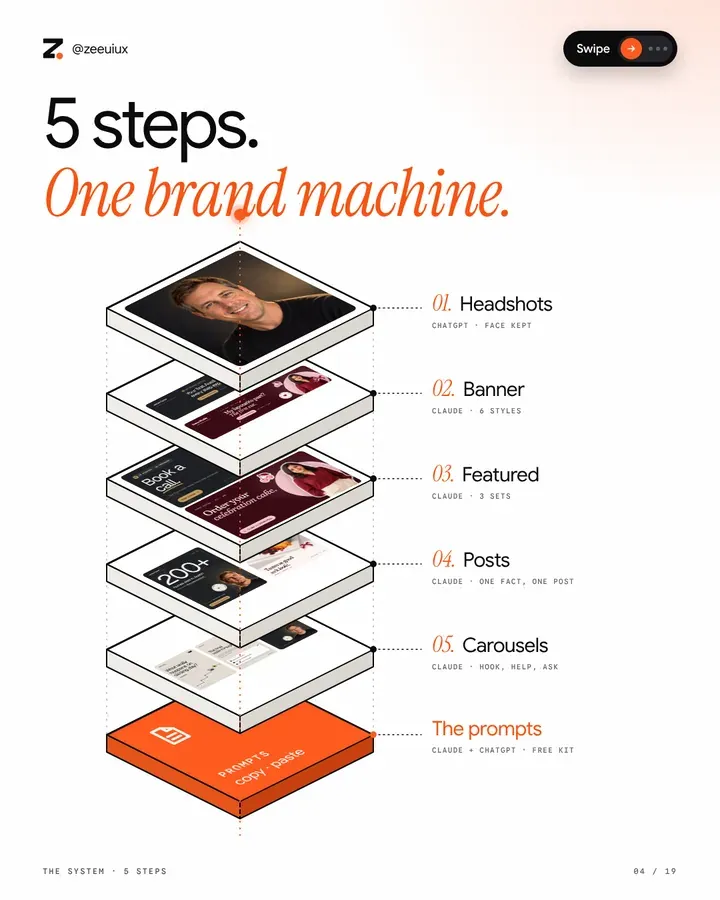 Slide 04 of 19
Four things first.
- 01.Fill in your details block once. Every Claude prompt in this kit ends with it.
- 02.Have 3 to 5 clear daylight photos of you ready: facing the camera, a bit left, a bit right.
- 03.Claude makes the designs. ChatGPT makes your photos.
- 04.James Carter and Sana Malik are example brands from Zee's Personal Brand course. Their photos were made with ChatGPT and their designs with Claude. Use your own real facts.
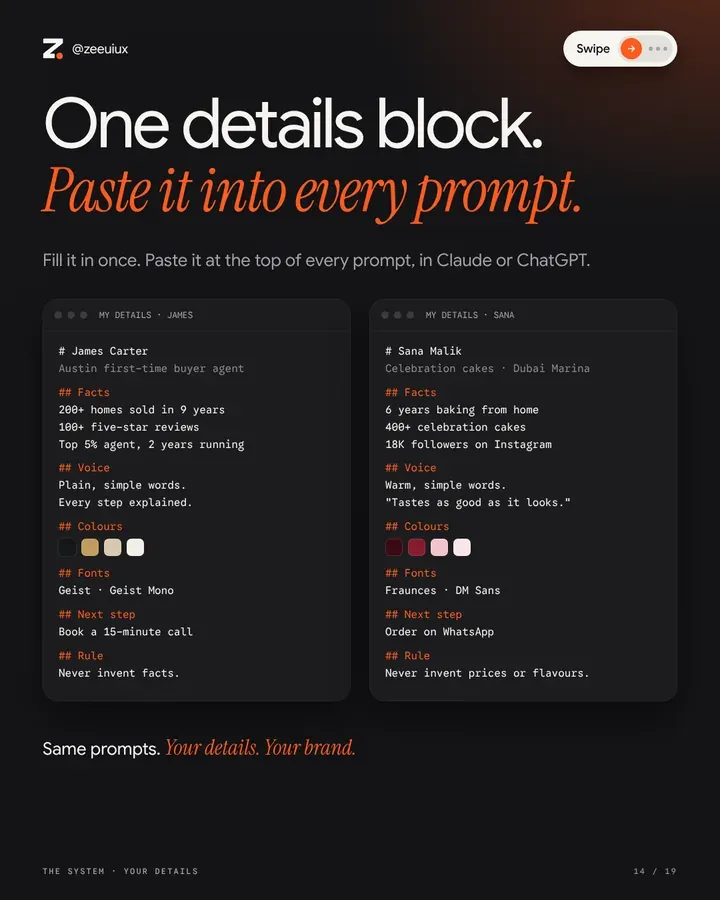 Slide 14 of 19
Your details. Fill it in once.
Every Claude prompt in this kit ends with My details: [PASTE]. This block is what you paste. Same prompts, your details, your brand.
[Your full name]
What you do · who you help, and where
Facts
Your best number, like 200+ homes sold
How long you have done it
A win, an award or your review count
Voice
2 or 3 words, like plain, warm, direct
One line you always say
Colours
Dark #000000 · Main #000000 · Accent #000000 · Light #000000
Fonts
Heading font · Body font
Next step
What people should do, like Book a 15-minute call
Rule
Never invent facts, prices or clients.
James Carter
Austin first-time buyer agent
Facts
200+ homes sold in 9 years
100+ five-star reviews
Top 5% agent, 2 years running
Voice
Plain, simple words.
Every step explained.
Colours
#15161A · #C29B5C · #D8C9AE · #F3EFE8
Fonts
Geist · Geist Mono
Next step
Book a 15-minute call
Rule
Never invent facts.
Sana Malik
Celebration cakes · Dubai Marina
Facts
6 years baking from home
400+ celebration cakes
18K followers on Instagram
Voice
Warm, simple words.
"Tastes as good as it looks."
Colours
#3A0B14 · #861A2D · #F3C5CC · #FBE6E8
Fonts
Fraunces · DM Sans
Next step
Order on WhatsApp
Rule
Never invent prices or flavours.
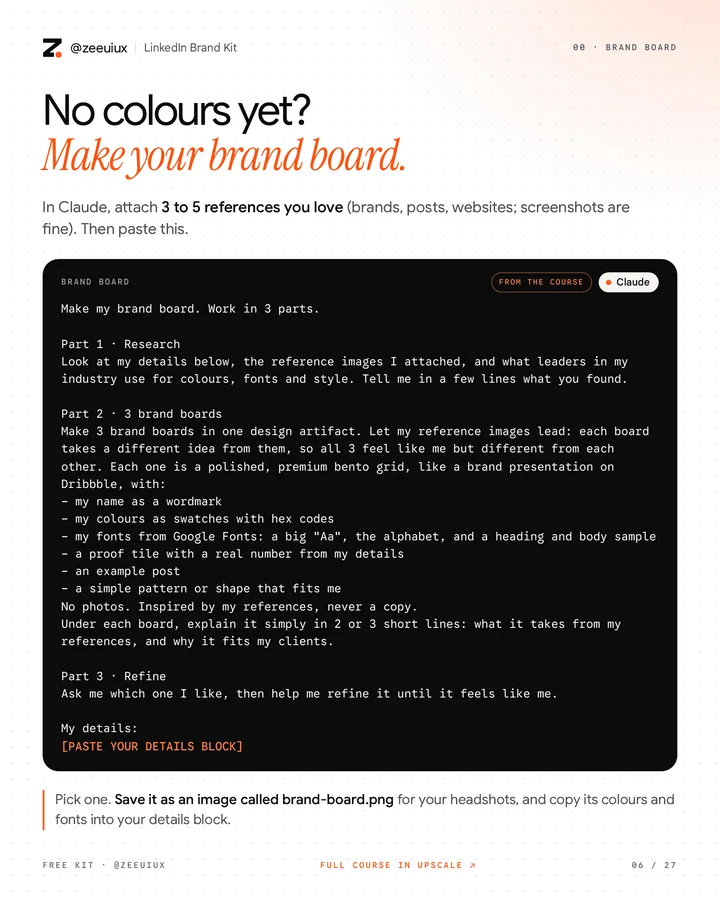 Free kit · page 06
No colours yet? Make your brand board.
In Claude, attach 3 to 5 references you love (brands, posts, websites; screenshots are fine). Then paste this.
Make my brand board. Work in 3 parts.
Part 1 · Research
Look at my details below, the reference images I attached, and what leaders in my industry use for colours, fonts and style. Tell me in a few lines what you found.
Part 2 · 3 brand boards
Make 3 brand boards in one design artifact. Let my reference images lead: each board takes a different idea from them, so all 3 feel like me but different from each other. Each one is a polished, premium bento grid, like a brand presentation on Dribbble, with:
- my name as a wordmark
- my colours as swatches with hex codes
- my fonts from Google Fonts: a big "Aa", the alphabet, and a heading and body sample
- a proof tile with a real number from my details
- an example post
- a simple pattern or shape that fits me
No photos. Inspired by my references, never a copy.
Under each board, explain it simply in 2 or 3 short lines: what it takes from my references, and why it fits my clients.
Part 3 · Refine
Ask me which one I like, then help me refine it until it feels like me.
My details
PASTE YOUR DETAILS BLOCK
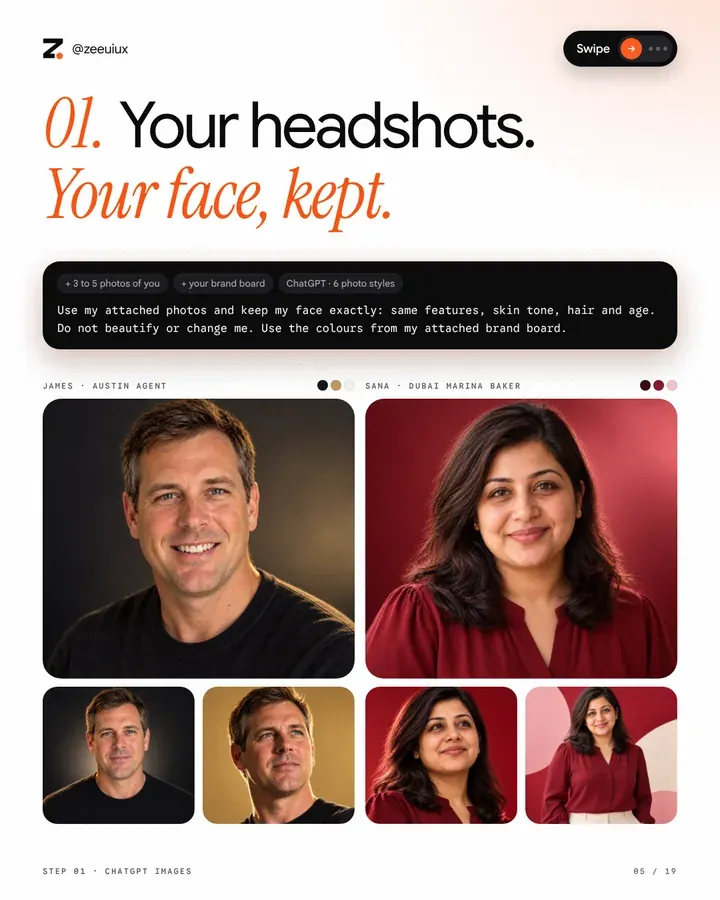 Slide 05 of 19
Your headshots. Your face, kept.
Open ChatGPT. Attach 3 to 5 clear daylight photos of you: facing the camera, a bit left, a bit right. Attach your brand board. Paste one style. Make all 6, keep your 3 best.
Use my attached photos and keep my face exactly: same features, skin tone, hair and age. Do not beautify or change me. Use the colours from my attached brand board.
Ultra-realistic cinematic studio portrait, head and shoulders, shoulders slightly turned, looking straight at the camera with a calm, confident expression. Smooth gradient background in my brand colours. Soft key light from the front-left and a rim light from behind in my accent colour. Shallow depth of field, natural skin texture, 85mm lens look, premium editorial colour grading. Square.
Use my attached photos and keep my face exactly: same features, skin tone, hair and age. Do not beautify or change me. Use the colours from my attached brand board.
Studio portrait, head and shoulders, serious and confident, looking at the camera. Solid bright background in my main brand colour with a soft glow behind my head. A thin rim light on one side of my face in my accent colour. Simple dark top. Sharp focus, natural skin, clean professional look. Square.
Use my attached photos and keep my face exactly: same features, skin tone, hair and age. Do not beautify or change me. Use the colours from my attached brand board.
Editorial portrait from a low angle, face and shoulders, looking slightly up and away with a strong, focused expression. Solid vivid background in my boldest brand colour. High-contrast directional light with deep shadows and a strong rim light separating me from the background. Cinematic and powerful. 4:5.
Use my attached photos and keep my face exactly: same features, skin tone, hair and age. Do not beautify or change me. Use the colours from my attached brand board.
Low-key portrait in a dark, minimal room, head and shoulders, looking straight at the camera, calm and serious. Dark simple outfit. One soft light from the side, a little haze, deep shadows, muted colours with a hint of my brand colour. Real photo feel, shallow depth of field. 4:5.
Use my attached photos and keep my face exactly: same features, skin tone, hair and age. Do not beautify or change me. Use the colours from my attached brand board.
Black and white studio portrait, seated and leaning slightly forward with hands loosely together near my chin, looking at the camera with a calm, confident gaze. Simple dark top. Plain light grey background, soft light from the upper left, rich blacks and clean highlights, luxury magazine style. 4:5.
Use my attached photos and keep my face exactly: same features, skin tone, hair and age. Do not beautify or change me. Use the colours from my attached brand board.
Studio portrait, half body, relaxed with hands in pockets, looking slightly up with a warm, natural smile. Background in my main brand colour with soft glowing geometric shapes floating behind me. Soft light on my face, bold clean colours, modern and approachable. 4:5.
 Slide 08 of 19
Your banner. One prompt, then pick a style.
New chat in Claude. Attach your brand board and photos, paste the banner prompt, then pick your favourite.
Make my LinkedIn banner, exactly 1584 x 396 px.
Use my attached brand board for the look and my details below for the words.
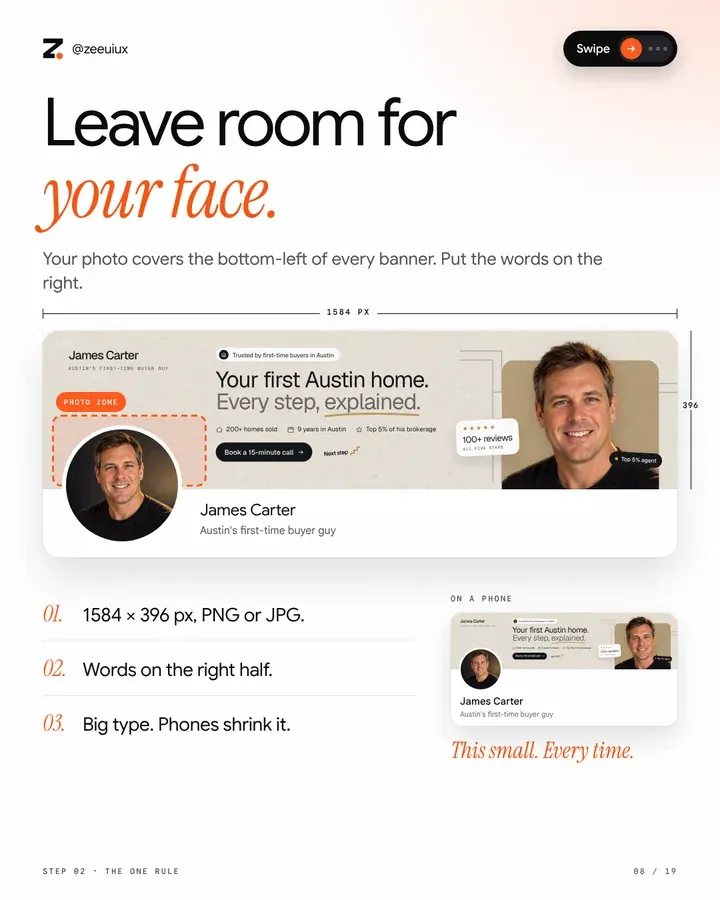
- My profile photo covers the bottom left, so keep it clear.
- My cut-out photo on the right. My promise in one big line in the middle. One button with my next step.
- Only my colours and fonts. My real facts only.
Make 3 versions. When I say it's final, give me a PNG.
My details
PASTE YOUR DETAILS BLOCK
Want my full banner prompt? Seals, star ratings, the fit rules. It is in my Personal Brand course.Get it in Upscale
 Slide 06 of 19
Want another look? Paste a style.
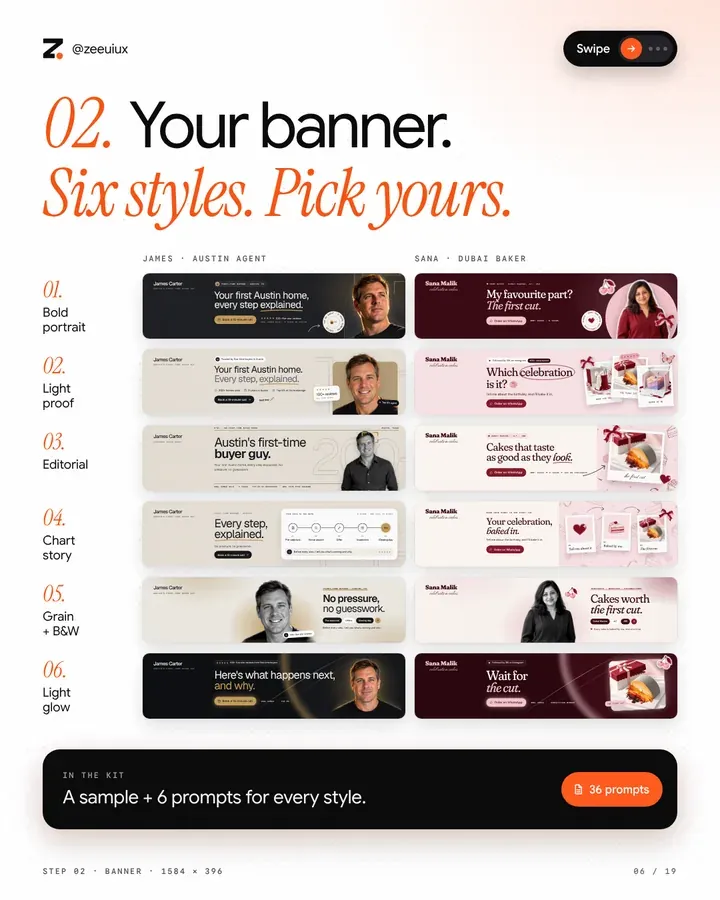
Paste one in the same chat, after the banner prompt. Each style was made for both example brands.
Bold portrait: my cut-out photo on the right, over a soft circle or arch in my accent colour, on my darkest colour. My promise in one big line, with one key word underlined. One button with my next step. A small round seal with my strongest fact.
Light proof: a light ground. My promise in two lines, the second line in a softer colour with one word underlined by hand. A row of 3 facts with small icons. One dark button. My photo in a rounded card on the right, with a small review badge on its edge.
Editorial: a warm paper ground, like a magazine cover strip. A thin line of small caps at the top, like an issue line. My headline big, with one word in italic or underlined. My photo, or a photo of my work, on the right. My facts in one row of small caps along the bottom.
Chart story: on the right, a clean white card that shows how working with me goes, as 3 to 5 steps on a line with small icons and short labels, the last step highlighted in my accent colour. On the left, my headline and one button.
Grain + B&W: a warm paper ground with soft film grain. My cut-out photo in black and white in the middle-right, with a soft glow in my accent colour behind me. My headline on the right, a row of small pills, and one round button in my accent colour.
Light glow: a dark ground with one soft beam of light sweeping across in my accent colour. My headline in big light type, the last words in my accent colour. One glowing button and two small fact pills. My photo, or a photo of my work, on the right.
| Style | Best for |
|---|---|
| Bold portrait | When people buy from you, the person |
| Light proof | When you have numbers, reviews or wins to show |
| Editorial | For experts, writers and anyone with a story to tell |
| Chart story | For services where people worry about the process |
| Grain + B&W | For a calm, premium feel |
| Light glow | When you want to look modern and premium |
 Slide 09 of 19
Your Featured. Three tiles. One set.
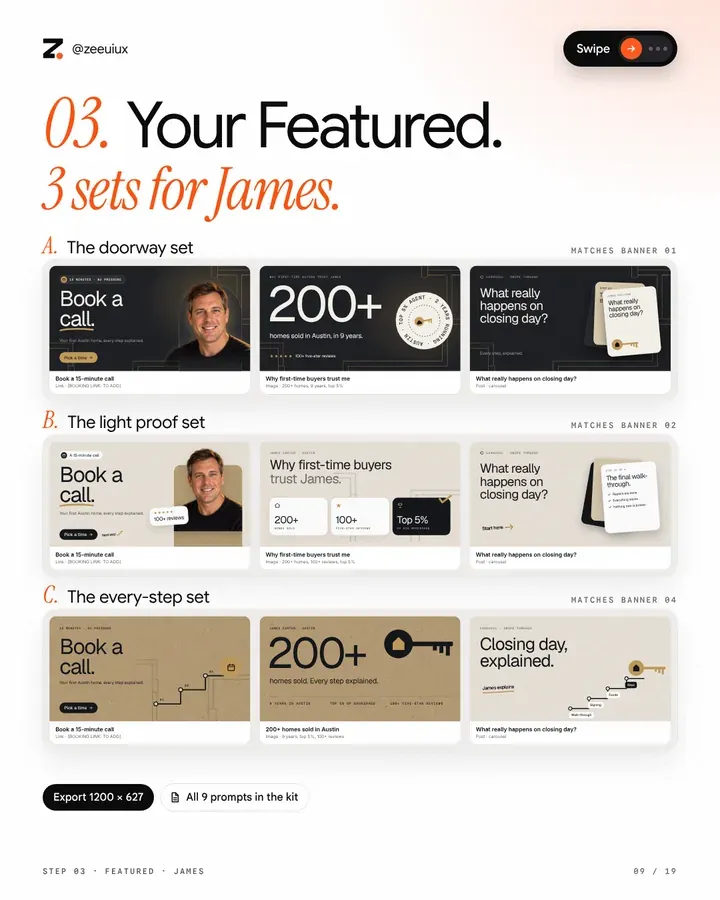
Featured sits under your About. Make 3 tiles that match your banner: your next step, your proof and your best post. Attach your banner, paste the prompt, then paste one set of 3 tiles into it.
Make 3 tiles for the Featured section of my LinkedIn profile, to match my banner (attached). Use my brand board for the look and my details below for the words.
- Exactly 1200 x 627 px each, all 3 side by side in one artifact.
- The same colours, fonts and style as my banner. One message per tile, in big type, away from the edges.
- Only my kit. No random shapes, gradients, glows, shadows, 3D, emoji or clip art.
- My real facts only. Never invent a number, review, quote or credential.
The 3 tiles
PASTE ONE SET FROM PAGE 20
My details
PASTE YOUR DETAILS BLOCK
Tile 1, my next step: 2 big words, like "Book a call.", one line under it and a small button. My cut-out photo on the right, inside an arch.
Tile 2, my proof: my biggest number huge, one line on what it means, and a round seal with my second fact.
Tile 3, my best post: its title as the headline, with a small stack of carousel cards on the right.
Tile 1, my next step: a big headline, my photo in a rounded card on the right and a small review badge.
Tile 2, why people trust me: a headline like "Why my clients trust me." and 3 small cards with my 3 facts, the main one dark.
Tile 3, my best post: its title, with a white card showing 3 ticked points from it.
Tile 1, my next step: a big headline, and a thin line that climbs like stairs to a small icon of my next step.
Tile 2, my proof: my number huge next to one simple icon from my work, and a row of 3 facts in small caps.
Tile 3, my best post: its title, and a thin path with 4 labelled stops that ends at my goal.
 Slide 12 of 19
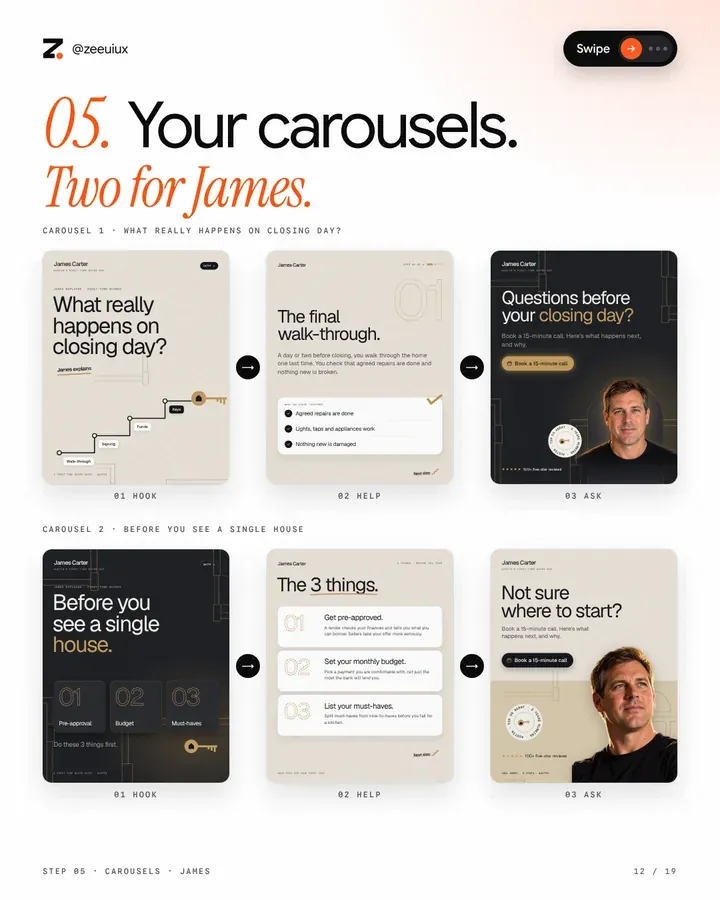
Your carousels. Hook, help, then the ask.
Ask Claude about a question your clients ask. It shows you the words first and designs only when you say yes.
Make me a LinkedIn carousel about: A QUESTION MY CLIENTS ASK.
Use my attached brand board for the look and my details below for the words.
Ask me first: step by step, checklist or mistakes to avoid? Recommend one.
9 slides, 1080 x 1350
1. The hook: the question, big.
2. Why it matters, in one line.
3 to 7. One tip per slide.
8. A recap worth saving.
9. My next step.
Show me the words first. Design only when I say yes.
Big type, my colours and fonts only, my real facts only.
When I say it's final, give me one PDF.
My details
PASTE YOUR DETAILS BLOCK
| Part | What goes in it |
|---|---|
| Hook | A question your clients ask. Put it on slide 1, big. |
| Help | One tip per slide. If it needs two, make two slides. |
| Ask | The last slide is one thing to do: your next step. |
Want my full carousel prompt? The blueprint and the polish are in my Personal Brand course.Get it in Upscale
 Slide 15 of 19
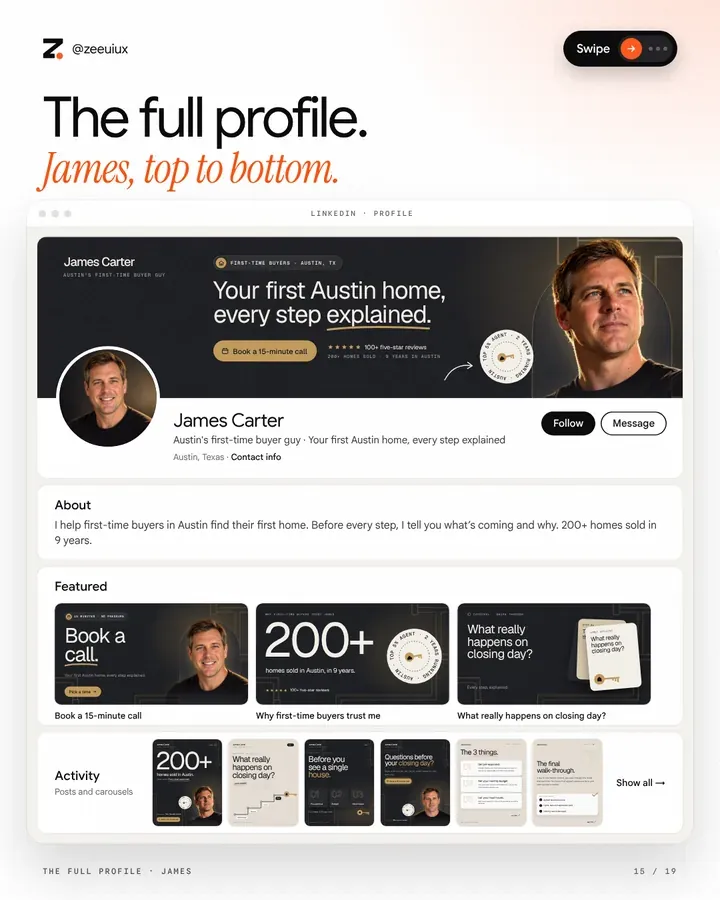
Your words. Headline, About, done.
One prompt writes your name field, headline, About, links and Featured items, in your voice.
Use my details below for my voice. Read them first.
MY LINKEDIN PROFILE
- Write my LinkedIn profile in my voice: name field, headline (under 220 characters, give me 3 to pick from), about, links and featured items.
- Every part says who I help, my strongest real proof and the one next step, with my link: my website, WhatsApp or booking page.
- Never invent facts, numbers or clients. If something is missing, ask me.
Show everything in one artifact designed in my brand (my colours, fonts and wordmark, never Claude's default style), with a copy button for each part.
My details
PASTE YOUR DETAILS BLOCK
| James | Sana | |
|---|---|---|
| Headline | Austin's first-time buyer guy · Your first Austin home, every step explained | Celebration cakes for Dubai Marina, JLT and JBR · Tastes as good as it looks |
| About | I help first-time buyers in Austin find their first home. Before every step, I tell you what's coming and why. 200+ homes sold in 9 years. | I bake celebration cakes from home for Dubai Marina, JLT and JBR, cakes that taste as good as they look. 400+ cakes in 6 years. |
 Free kit · page 24
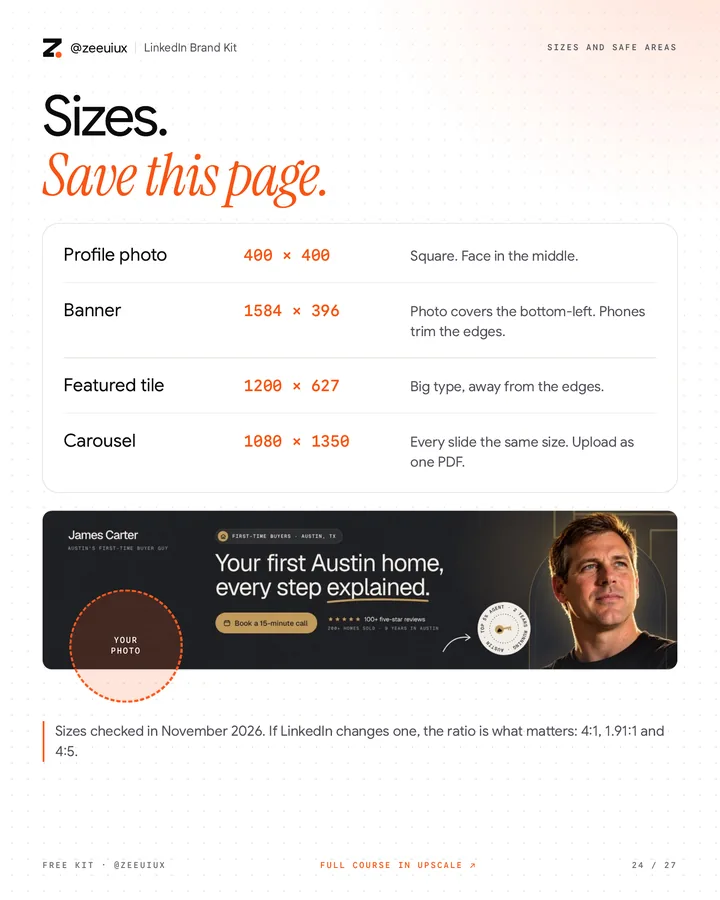
Sizes. Save this page.
| Size | Rule | |
|---|---|---|
| Profile photo | 400 × 400 | Square. Face in the middle. |
| Banner | 1584 × 396 | Photo covers the bottom-left. Phones trim the edges. |
| Featured tile | 1200 × 627 | Big type, away from the edges. |
| Carousel | 1080 × 1350 | Every slide the same size. Upload as one PDF. |
 Slide 17 of 19
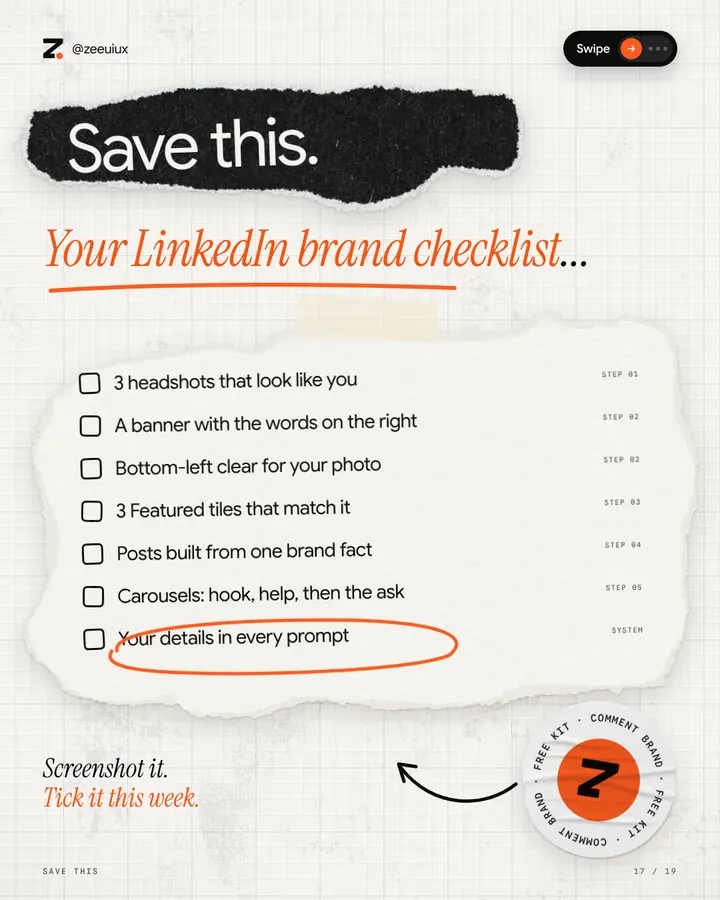
Save this. Tick it this week.
- 3 headshots that look like you
- A banner with the words on the right
- Bottom-left clear for your photo
- 3 Featured tiles that match it
- Carousels: hook, help, then the ask
- Your details in every prompt
Take it with you.
The files for this guide. Free.
More free guides
Newest firstGive Claude your taste.
Six steps, six prompts to copy and one file to fill in.Open the guide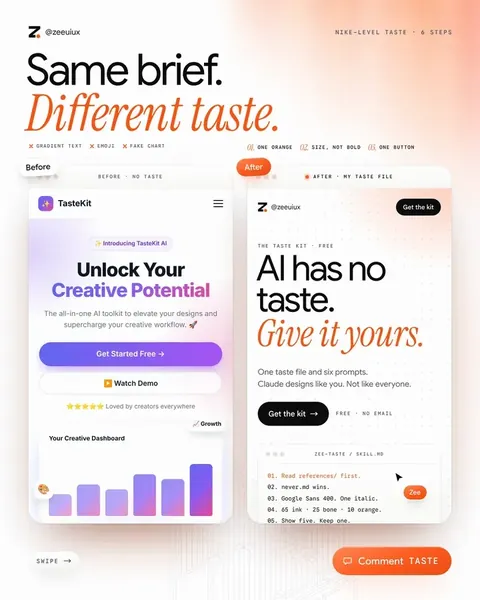 1/10Video & reels
The Hook Code.
50 fill-in-the-blank reel hooks for any niche.Open the guide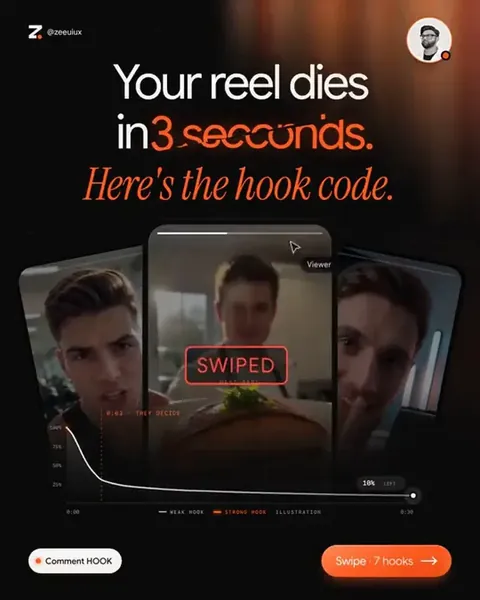 1/10Video & reels
Claude is a video editor now.
Raw clip in, finished reel out, in five prompts.Open the guide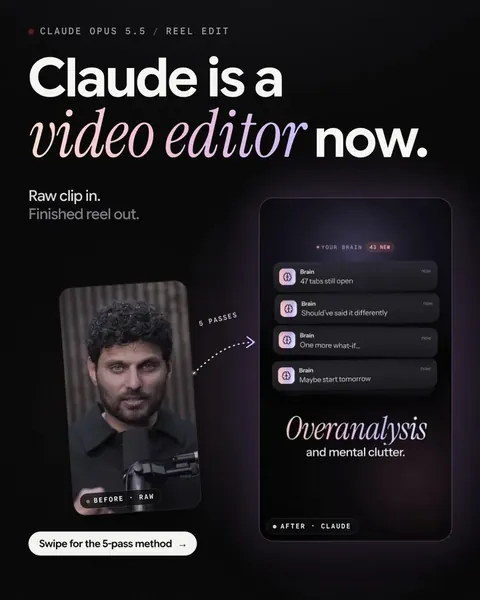 1/11