UpscaleAI Creative ClubTry Upscale free7 daysNew guide: 50 Claude animations. Free (3D included)75K+ on InstagramEvery prompt free to copyNew guide: 50 Claude animations. Free (3D included)Try Upscale free7 days

How we made a $1,200 video with AI.

One 43 second explainer, sold for $1,200, with about 4 hours of editing in Claude. Reference, script, voiceover, footage, editing and sound design. Every step, every prompt.


Learn this with us in UpscaleZeePosted byZee @zeeuiuxVideo & reels
In short

How do you make a client explainer video with AI?

Pick a reference video, write the script from its structure, then make the voiceover with ElevenLabs. Find footage, edit jump cuts that match every line in Claude, merge the cuts and add sound effects. Our 43-second explainer took about 4 hours of editing and sold for $1,200.
Slide 3 of 23Slide 03 of 23
Before you start

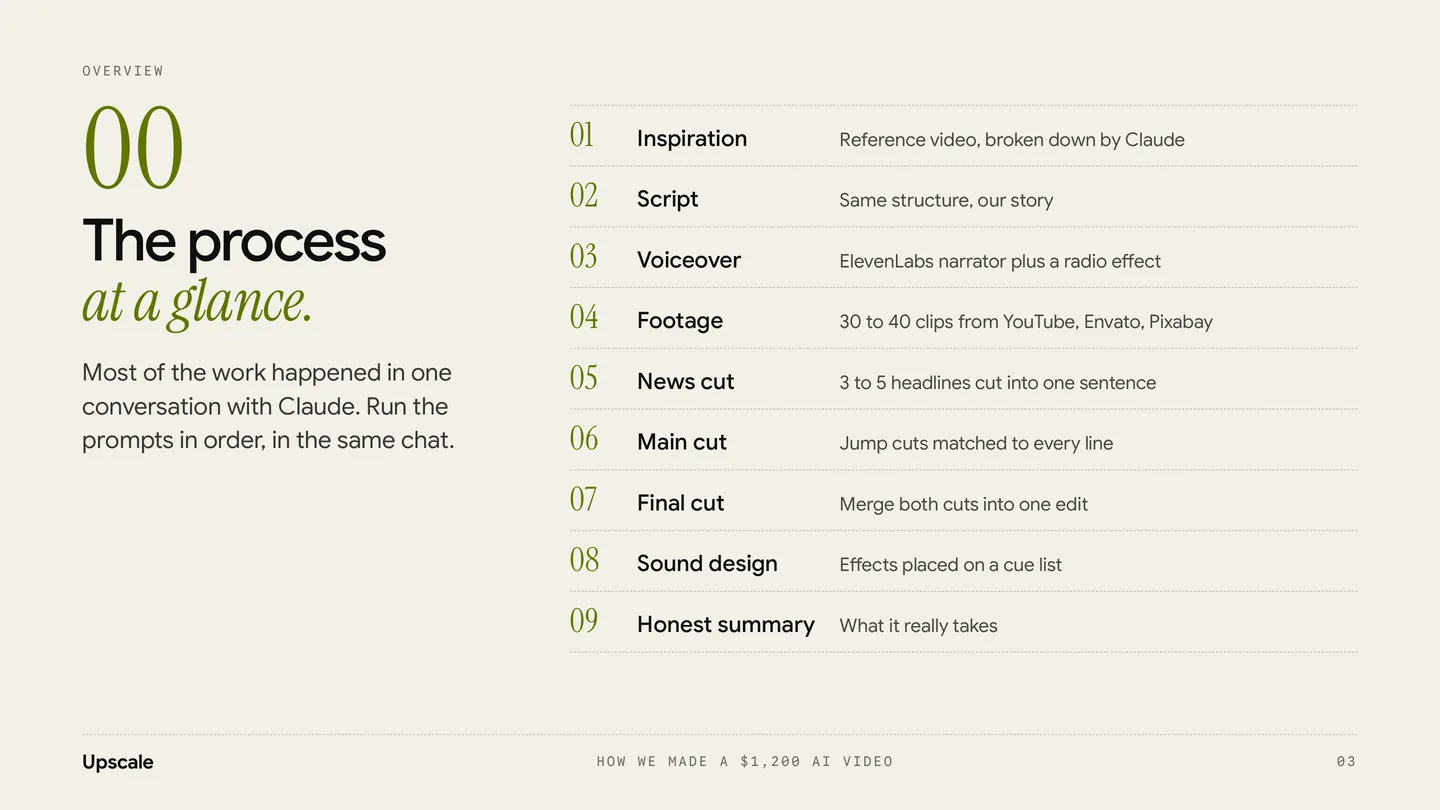
One conversation, in order.

  1. 01.Most of the work happened in one conversation with Claude. Run the prompts in order, in the same chat.
  2. 02.A reference video that has the feel you want.
  3. 03.30 to 40 clips, plus 3 to 5 news headline clips.
  4. 04.An ElevenLabs account for the voiceover, and your own sound effects library.
Slide 4 of 23Slide 04 of 23
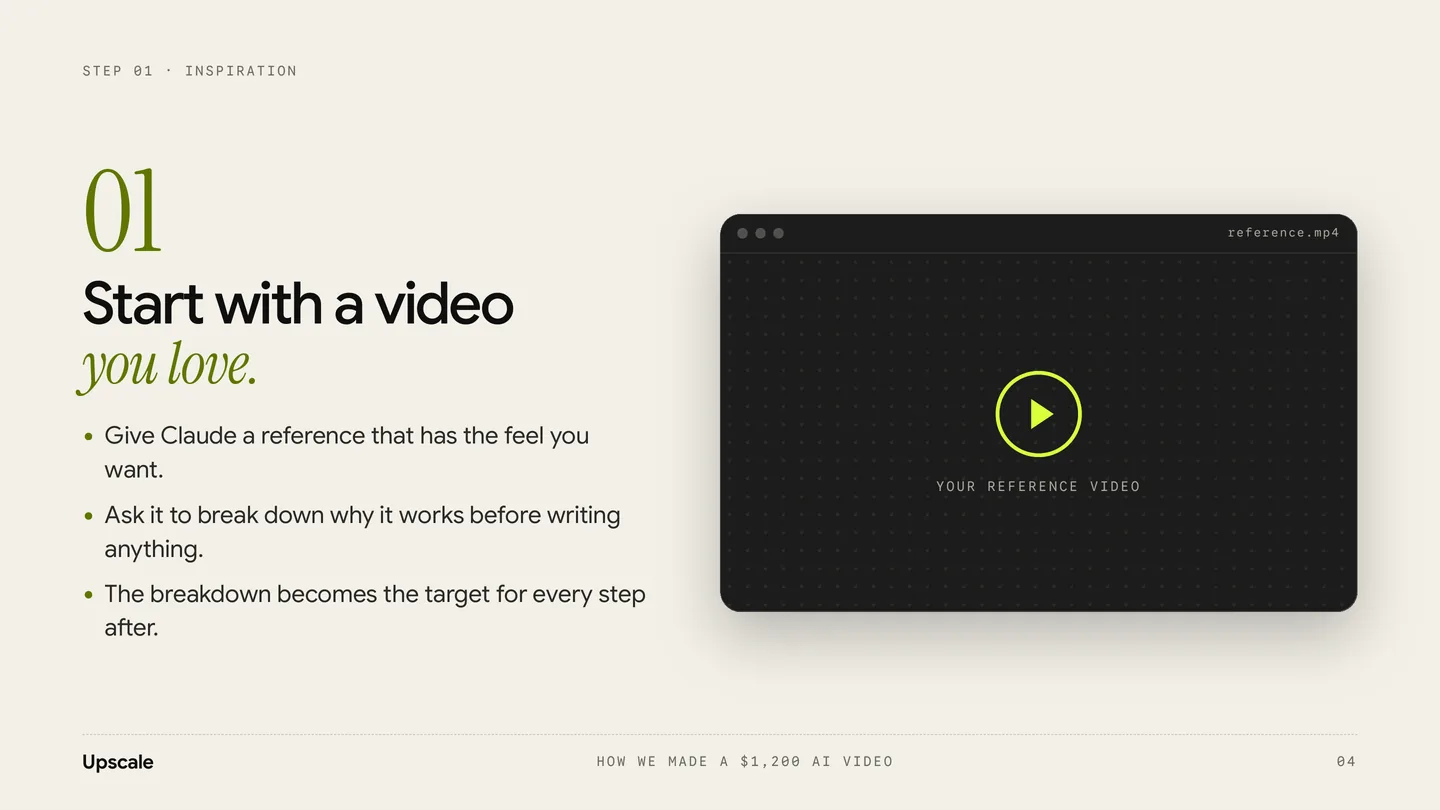
01.Step 1 of 9 · Inspiration

Start with a video you love.

Give Claude a reference that has the feel you want. Ask it to break down why it works before writing anything. The breakdown becomes the target for every step after.

PromptPrompt 01 · Break down the reference

I'm sharing a reference video for a new project. Don't write anything yet. First, break it down for me:

1. Total length and how many sections it has

2. The hook: what happens in the first 3 seconds and why it grabs attention

3. Pacing: average shot length in each section, where it speeds up and slows down

4. Tone of the voiceover: speed, energy, type of voice

5. Visual style: footage types, colour, text on screen, transitions

6. Sound: music mood, sound effects and where they hit

7. The structure as beats (Hook, Stakes, Turn, Proof, Close or whatever fits)

Then tell me in 3 lines what makes this video work, so we can use the same structure for TOPIC for CLIENT.
Slide 6 of 23Slide 06 of 23
02.Step 2 of 9 · Script

Write the script from the structure.

Borrow the structure of the reference, never its lines. Short spoken sentences, marked by beat and timecode. Ask for a footage idea next to every line.

PromptPrompt 02 · Script

Using the reference breakdown above, write a script for a LENGTH second video about TOPIC for CLIENT / BRAND.

Follow the same structure and pacing as the reference, but do not copy any of its lines.

Rules

  • Hook in the first 3 seconds. Make it a plain, strong claim.
  • Short spoken sentences, written to be read aloud.
  • About WORD COUNT words in total (roughly 2.5 words per second).
  • Mark each beat with a timecode and a label (Hook, Stakes, Threat, Turn, Proof, Close).
  • Next to every line, suggest what footage should be on screen.
  • End on BRAND NAME and the one idea we want people to remember: KEY MESSAGE.

Give me 2 versions: one close to the reference, one with a bolder hook. Then tell me which one you'd pick and why.

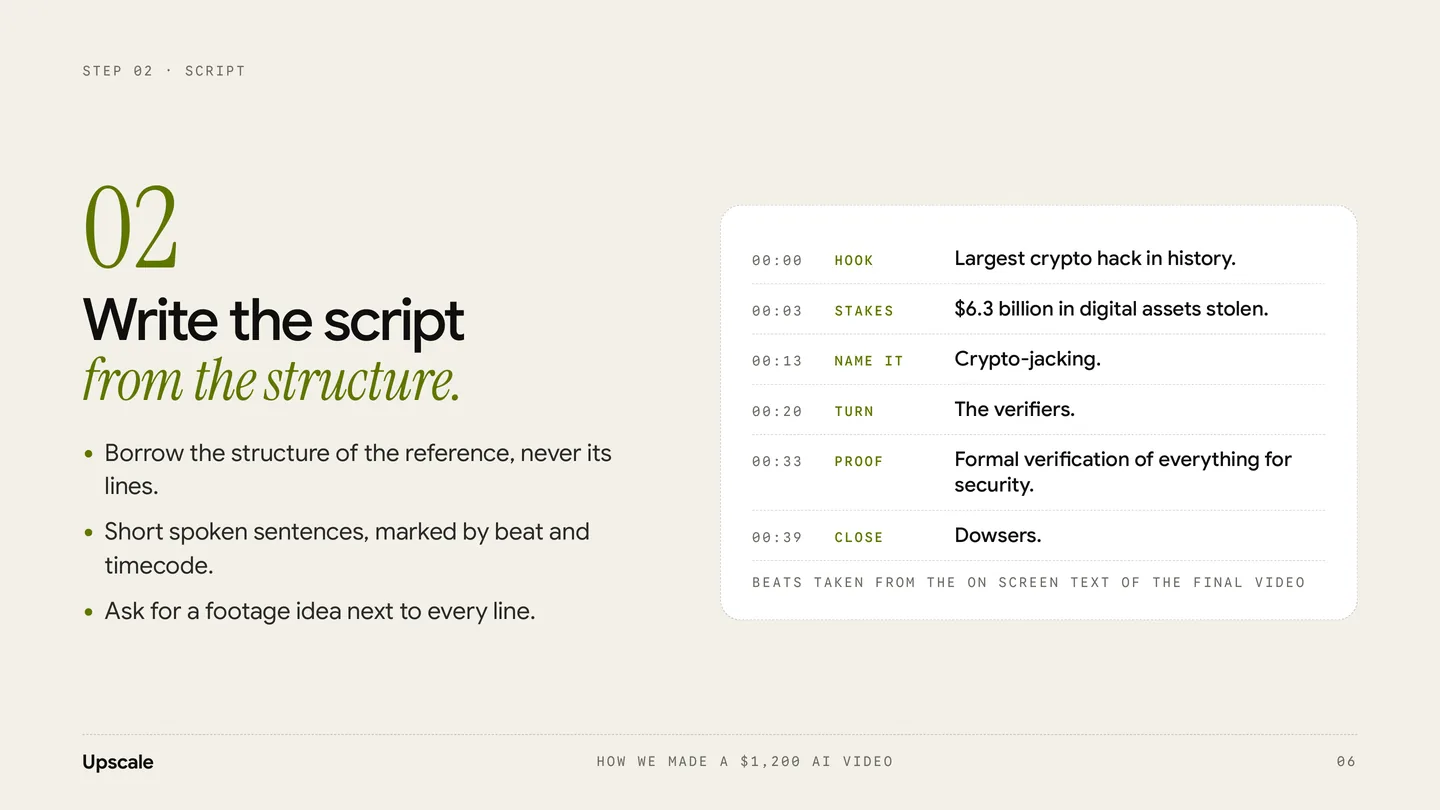
Beats taken from the on screen text of the final video
TimeBeatLine
00:00HookLargest crypto hack in history.
00:03Stakes$6.3 billion in digital assets stolen.
00:13Name itCrypto-jacking.
00:20TurnThe verifiers.
00:33ProofFormal verification of everything for security.
00:39CloseDowsers.
Slide 8 of 23Slide 08 of 23
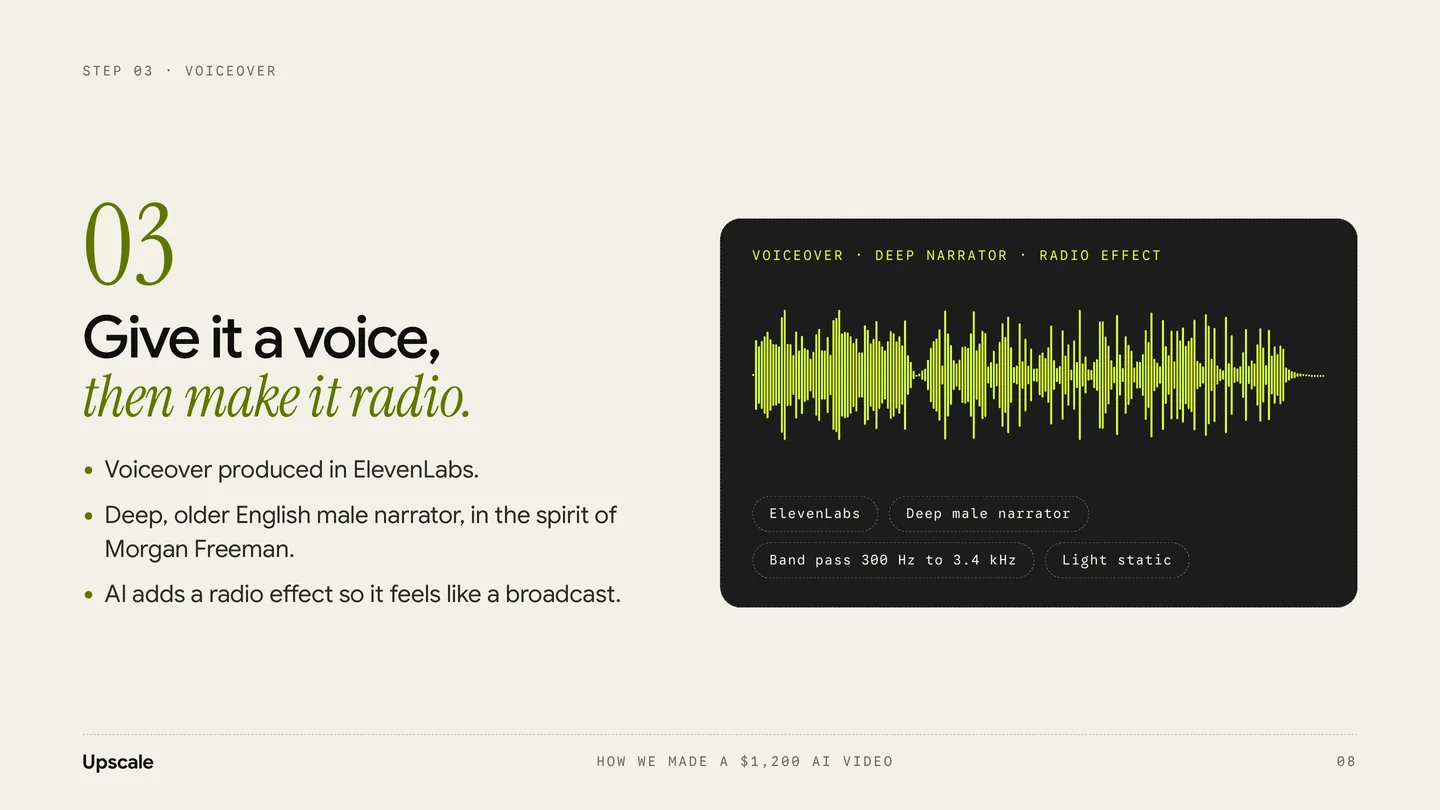
03.Step 3 of 9 · Voiceover

Give it a voice, then make it radio.

Voiceover produced in ElevenLabs: a deep, older English male narrator, in the spirit of Morgan Freeman. AI adds a radio effect so it feels like a broadcast.

PromptPrompt 03 · Prepare the script for ElevenLabs (in Claude)

Prepare this script for an ElevenLabs voiceover.

  • Add natural pauses with line breaks and "..." where the narrator should breathe.
  • Write numbers and names the way they should be spoken (for example "six point three billion dollars").
  • Mark the 3 to 5 words that need the most weight in CAPS.
  • Keep it within LENGTH seconds at a slow, calm pace.
  • Give me the final text only, ready to paste.
PromptPrompt 04 · ElevenLabs voice design / voice library search

Deep, older male narrator with a warm, slightly gravelly tone. American English. Slow, measured pace with calm authority, like a documentary or film trailer narrator. Clear diction, low pitch, no hype.

PromptPrompt 05 · Radio effect (in Claude, with the audio file)

Add a radio broadcast effect to this voiceover.

  • Band pass the voice to roughly 300 Hz to 3.4 kHz so it sounds like a speaker.
  • Add light saturation and gentle compression.
  • Add a very low layer of static under the voice, never louder than the voice.
  • Keep every word clear.

Give me 2 versions, SUBTLE and STRONG, as 48 kHz WAV files.
The voiceDescribe the qualities of the voice. Don't clone a real person's voice.
Slide 12 of 23Slide 12 of 23
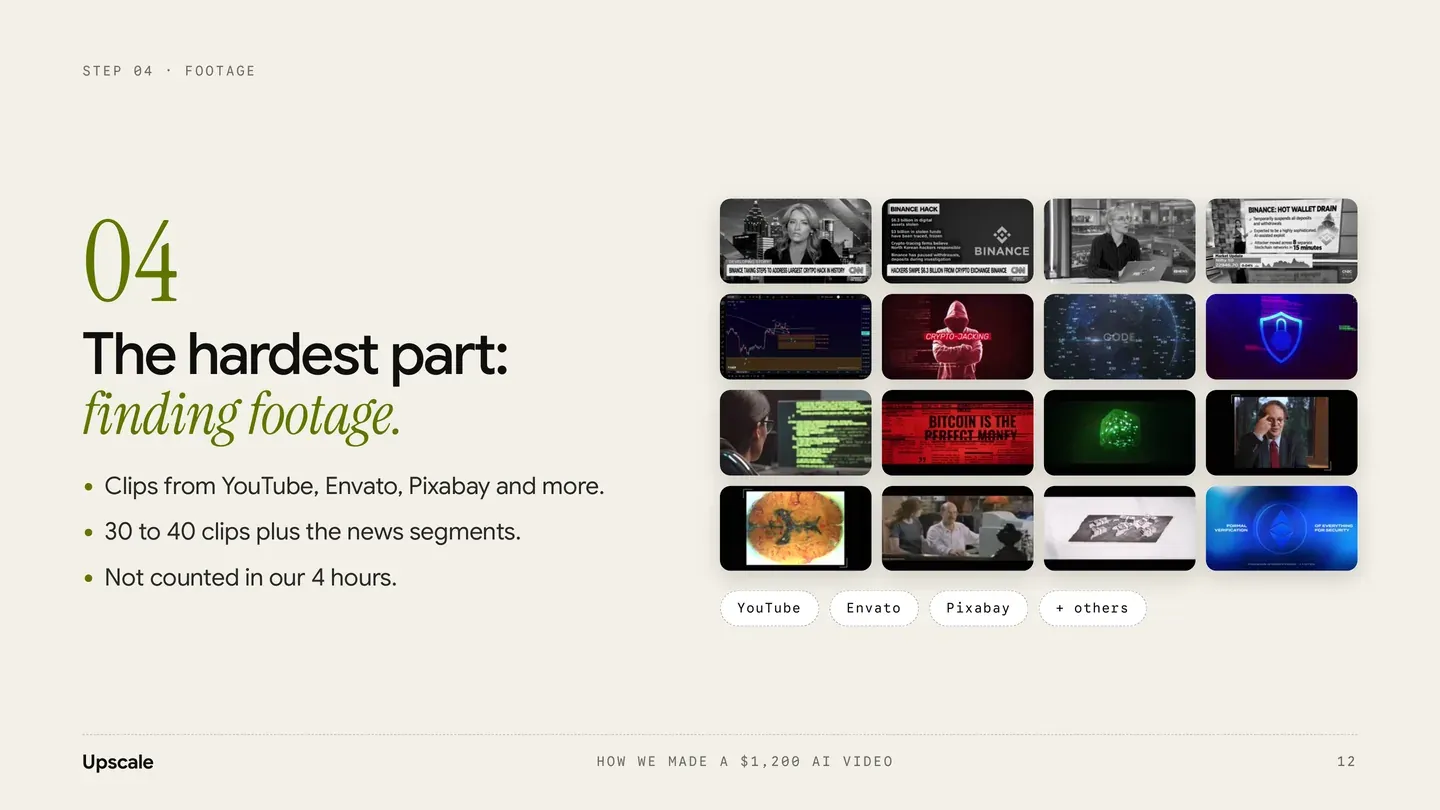
04.Step 4 of 9 · Footage

The hardest part: finding footage.

Clips from YouTube, Envato, Pixabay and more: 30 to 40 clips plus the news segments. Not counted in our 4 hours.

PromptPrompt 06 · Turn the script into a shot list

Turn the script above into a shot list for a footage search.

For each line give me

  • 2 to 3 shot ideas (what we see)
  • Search keywords for YouTube, Envato and Pixabay
  • Whether it should be news, stock footage, archival or motion graphics

Group it by section, and mark the 5 shots that matter most.
LicencesCheck the licence for every clip that goes to a paying client.
Slide 14 of 23Slide 14 of 23
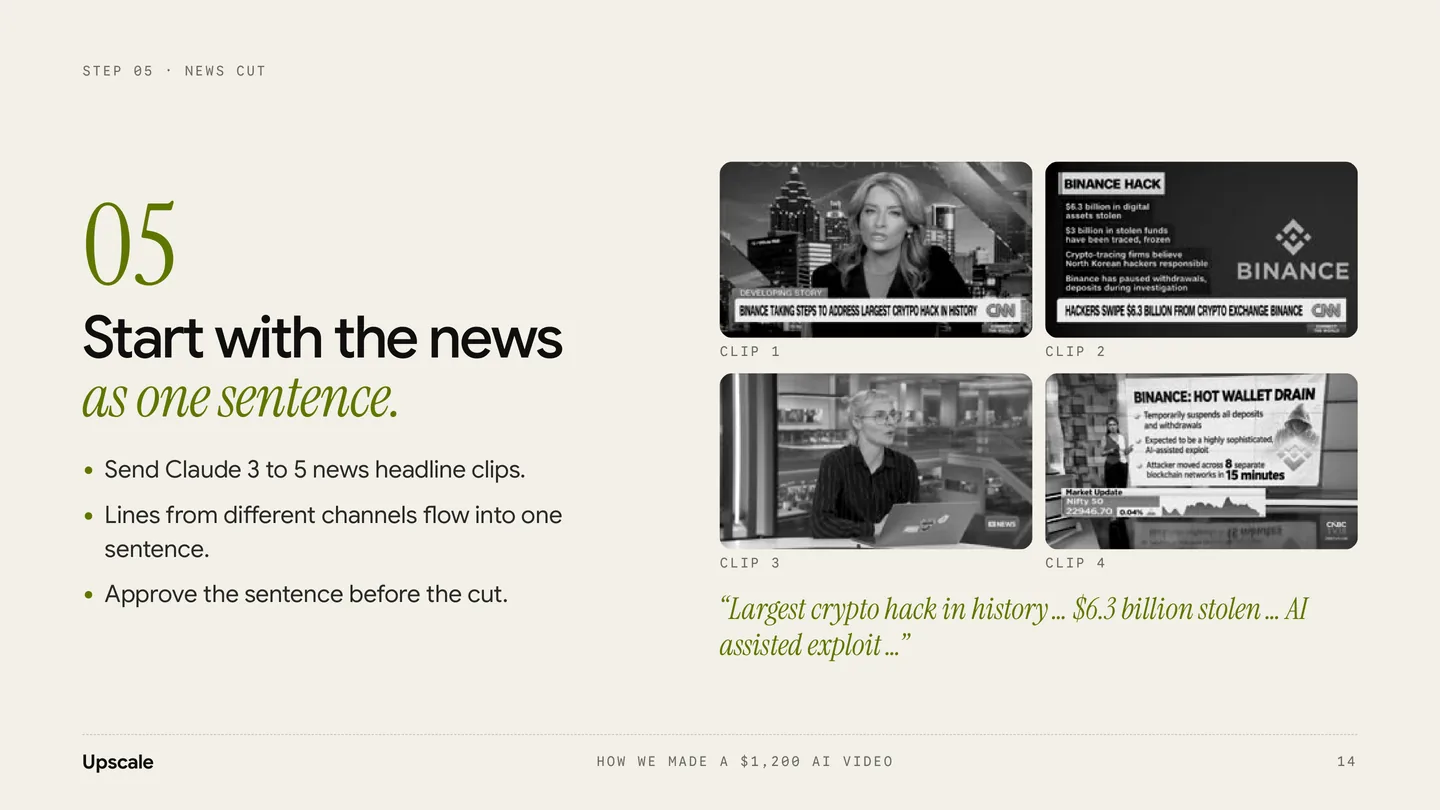
05.Step 5 of 9 · News cut

Start with the news as one sentence.

Send Claude 3 to 5 news headline clips. Lines from different channels flow into one sentence. Approve the sentence before the cut.

PromptPrompt 07 · News opening cut

Here are 3 TO 5 news clips about STORY.

Build the opening news cut, about 10 seconds long.

Goal: the lines from the different anchors should flow into each other and read like one complete sentence, as if one story is being told across channels.

1. Transcribe each clip with timestamps.

2. Pick the strongest phrases and propose an order where they read as one sentence. Show me that sentence before you cut anything.

3. Cut on whole words, never in the middle of a word. Leave a couple of frames of breath.

4. Keep each clip between 1.5 and 3 seconds.

5. Keep the lower thirds and channel logos visible so it reads as real news.

6. Add a short glitch transition between clips.

7. Export a 1920x1080 preview and list every cut: file, in point, out point, words spoken.
Slide 16 of 23Slide 16 of 23
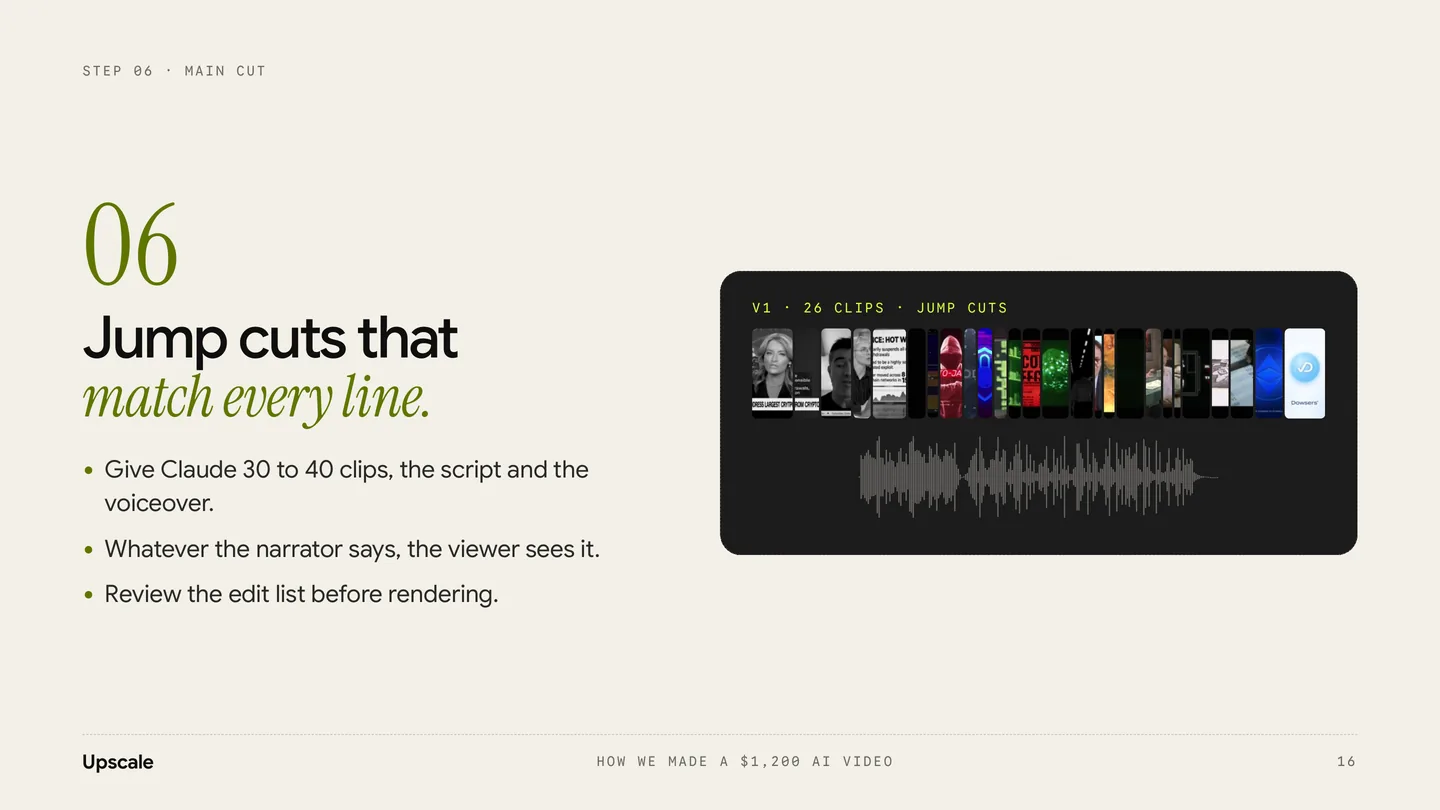
06.Step 6 of 9 · Main cut

Jump cuts that match every line.

Give Claude 30 to 40 clips, the script and the voiceover. Whatever the narrator says, the viewer sees it. Review the edit list before rendering.

PromptPrompt 08 · Main cut with jump cuts

Here are 30 TO 40 clips, the final voiceover and the script.

Build the main cut that runs under the voiceover from START TIME to the end.

Rules

  • Match the footage to the script line by line. Every line needs a visual that shows what is being said.
  • Use jump cuts: most clips between 0.5 and 2 seconds.
  • Cut on the voice: change the shot when the sentence changes idea or hits a key word.
  • Don't reuse a clip unless there is no better option. Tell me if you had to.
  • Keep the energy rising until TURN MOMENT, then let shots breathe a little longer.

Before rendering, give me an edit list as a table: timecode, script line, clip file, in, out, and one line on why it fits.

After I approve it, render a 1080p preview with the voiceover.
Slide 18 of 23Slide 18 of 23
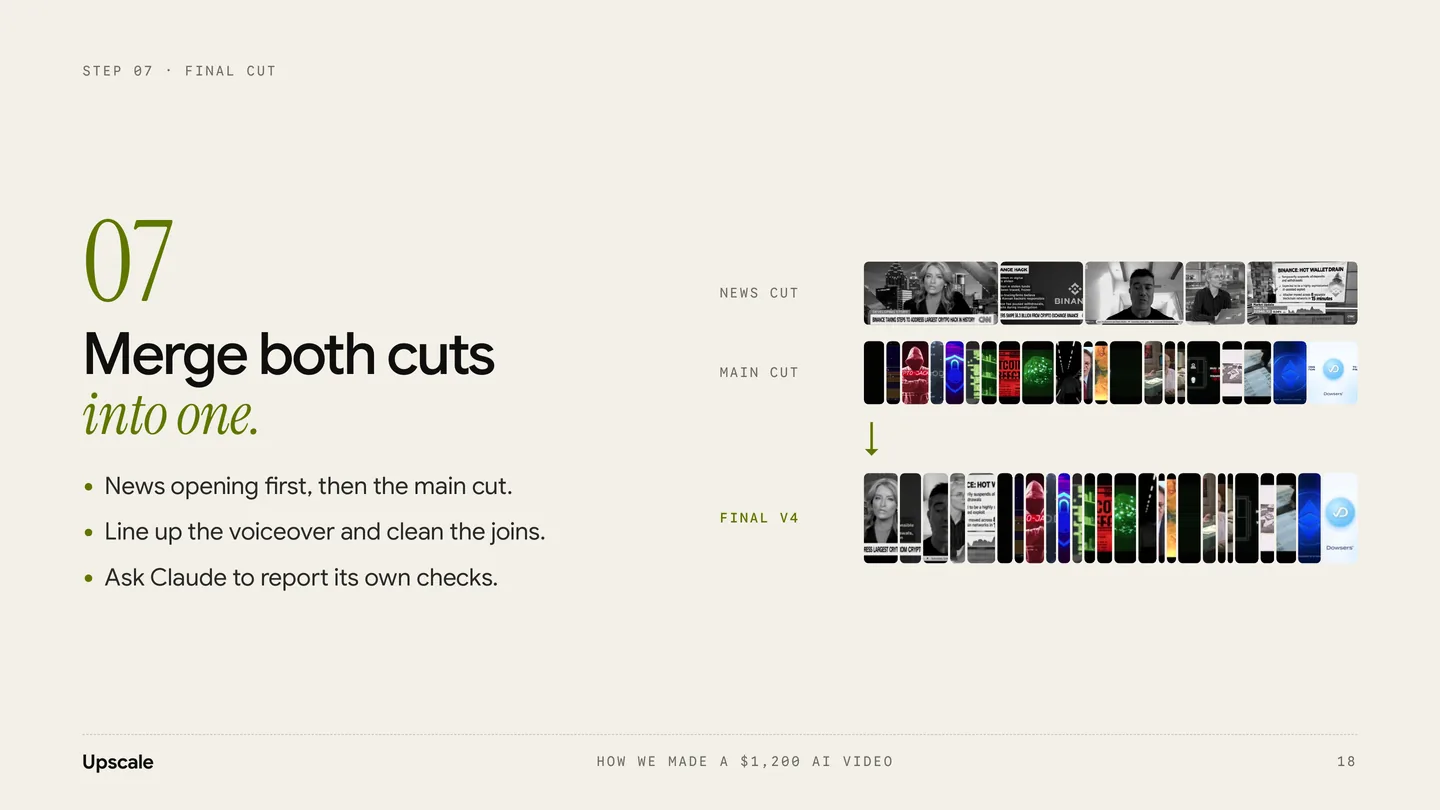
07.Step 7 of 9 · Final cut

Merge both cuts into one.

News opening first, then the main cut. Line up the voiceover and clean the joins. Ask Claude to report its own checks.

PromptPrompt 09 · Merge into the final cut

Merge the news cut and the main cut into one final edit.

  • News cut first, then the main cut, joined with A GLITCH / A HARD CUT / A FLASH.
  • The voiceover starts at TIMESTAMP. The news audio should dip under the voice where they overlap.
  • Keep the look consistent within each section: DESCRIBE THE GRADE, for example black and white for news, red for the hacker part, blue for the close.
  • On screen text: LIST OF TITLES AND WHEN THEY APPEAR.
  • End on the BRAND logo for 2 seconds.

Before export, check and report:

  • no black or empty frames
  • no clip shorter than 6 frames unless it's on purpose
  • no audio pops or jumps in volume
  • total length is LENGTH seconds

Export 1920x1080, 30 fps, H.264.
Slide 20 of 23Slide 20 of 23
08.Step 8 of 9 · Sound design

Sound effects make it feel expensive.

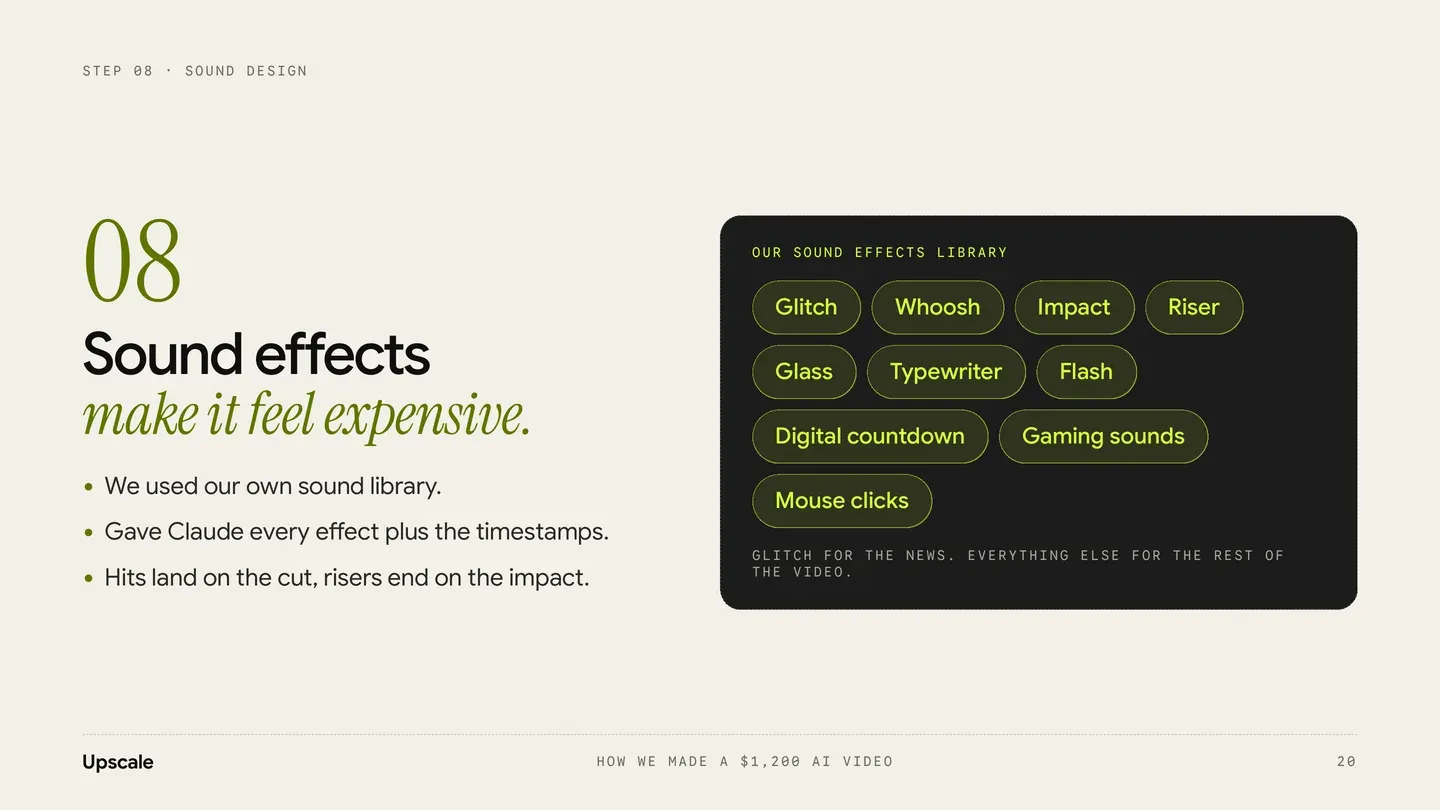
We used our own sound library and gave Claude every effect plus the timestamps. Hits land on the cut, risers end on the impact.

PromptPrompt 10 · Sound effects

Here is the final cut and the sound effects I want to use: LIST OF FILES.

Add sound design using only these files.

Cue list

00:00 to 00:10 glitch on every news cut

00:10 whoosh into the hacker section

00:13 impact on the CRYPTO-JACKING title

00:XX typewriter under on screen text while it types

00:XX mouse clicks on screen and UI moments

00:XX riser building into REVEAL MOMENT, ending on an impact

00:XX glass hit on MOMENT

00:XX flash on white flash frames

00:XX digital countdown before MOMENT

00:XX gaming sounds on MOMENT

Rules

  • Hits land exactly on the cut frame.
  • Risers end exactly where the impact lands.
  • Sound effects always sit under the voice. Every word must stay clear.
  • Fade out every effect, no hard stops.

Give me a cue sheet first (time, sound, file, volume), then render the final mix.
Our sound effects libraryGlitch, whoosh, impact, riser, glass, typewriter, flash, digital countdown, gaming sounds and mouse clicks. Glitch for the news, everything else for the rest of the video. The timestamps in the cue list are examples. Use your own.
Slide 22 of 23Slide 22 of 23
09.Step 9 of 9 · Honest summary

It's not one prompt. It's a process.

What it really takes.

  1. 01.It takes several rounds of prompting, not one.
  2. 02.Claude sometimes misses instructions or makes mistakes. Do your own QA.
  3. 03.About 4 hours of editing, not counting the footage hunt.
  4. 04.Our Claude already knows this style from many videos like this. Yours will get there the more you do it.
QA checklist before you send it

Do your own QA.

  • Watch it 3 times: picture, sound, then as the client.
  • Every script line has a matching visual.
  • Every word of the voiceover is clear.
  • No black frames or repeated clips.
  • Names, numbers and spelling are correct.
  • Every clip is licensed for client use.
  • Check it on a phone, sound on and off.
Free trial 7 days

Learn AI with us, every day.

Upscale is the AI Creative Club on Skool, hosted by Zee and Bilal. This guide is one lesson. The club is where we keep going.

  • Daily video tutorials
  • New AI tools tested every week
  • A room of creatives sharing wins, work and new finds

Try Upscale free7 daysskool.com/upscaleclub
Zee and Bilal, hosts of Upscale
Downloads

Take it with you.

The files for this guide. Free.

PDFHow we made a $1,200 AI videoPDF · 23 pages · 4.1 MBDownload

More free guides

Newest first
Motion

50 Claude animations. Free (3D included)

One prompt for each. 20 are in 3D.Open the guide
1/50
Video & reels

How we made a 3D logo reveal with AI.

A real brand video. 10 steps and 10 prompts.Open the guide
1/10
Apps & UI

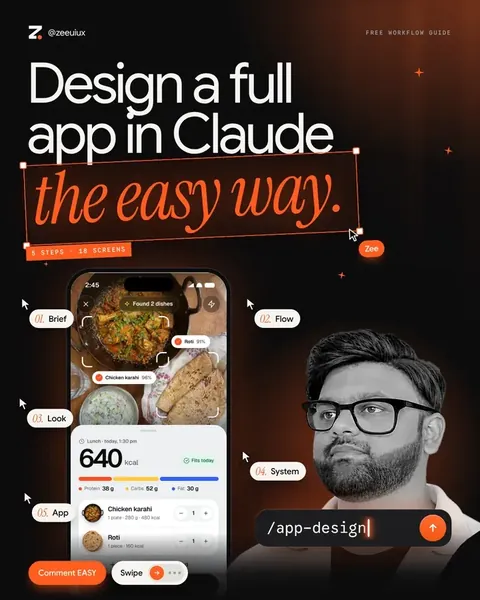
Design a full app in Claude, the easy way.

5 steps, 5 prompts and one checklist.Open the guide
1/9
UpscaleTry free7 days
Try Upscale free 7 days · Start now75K+ on InstagramEvery prompt free to copyTry Upscale free 7 days · Start now

How we made a $1,200 video with AI.

One 43 second explainer, sold for $1,200, with about 4 hours of editing in Claude. Reference, script, voiceover, footage, editing and sound design. Every step, every prompt.

Learn this with us in UpscaleZeePosted byZee @zeeuiuxVideo & reels
In short

How do you make a client explainer video with AI?

Pick a reference video, write the script from its structure, then make the voiceover with ElevenLabs. Find footage, edit jump cuts that match every line in Claude, merge the cuts and add sound effects. Our 43-second explainer took about 4 hours of editing and sold for $1,200.

Before you start

One conversation, in order.

  1. 01.Most of the work happened in one conversation with Claude. Run the prompts in order, in the same chat.
  2. 02.A reference video that has the feel you want.
  3. 03.30 to 40 clips, plus 3 to 5 news headline clips.
  4. 04.An ElevenLabs account for the voiceover, and your own sound effects library.
Slide 4 of 2304/23
01.Step 1 of 9 · Inspiration

Start with a video you love.

Give Claude a reference that has the feel you want. Ask it to break down why it works before writing anything. The breakdown becomes the target for every step after.

PromptPrompt 01 · Break down the reference

I'm sharing a reference video for a new project. Don't write anything yet. First, break it down for me:

1. Total length and how many sections it has

2. The hook: what happens in the first 3 seconds and why it grabs attention

3. Pacing: average shot length in each section, where it speeds up and slows down

4. Tone of the voiceover: speed, energy, type of voice

5. Visual style: footage types, colour, text on screen, transitions

6. Sound: music mood, sound effects and where they hit

7. The structure as beats (Hook, Stakes, Turn, Proof, Close or whatever fits)

Then tell me in 3 lines what makes this video work, so we can use the same structure for TOPIC for CLIENT.

Slide 6 of 2306/23
02.Step 2 of 9 · Script

Write the script from the structure.

Borrow the structure of the reference, never its lines. Short spoken sentences, marked by beat and timecode. Ask for a footage idea next to every line.

PromptPrompt 02 · Script

Using the reference breakdown above, write a script for a LENGTH second video about TOPIC for CLIENT / BRAND.

Follow the same structure and pacing as the reference, but do not copy any of its lines.

Rules

  • Hook in the first 3 seconds. Make it a plain, strong claim.
  • Short spoken sentences, written to be read aloud.
  • About WORD COUNT words in total (roughly 2.5 words per second).
  • Mark each beat with a timecode and a label (Hook, Stakes, Threat, Turn, Proof, Close).
  • Next to every line, suggest what footage should be on screen.
  • End on BRAND NAME and the one idea we want people to remember: KEY MESSAGE.

Give me 2 versions: one close to the reference, one with a bolder hook. Then tell me which one you'd pick and why.

Beats taken from the on screen text of the final video
TimeBeatLine
00:00HookLargest crypto hack in history.
00:03Stakes$6.3 billion in digital assets stolen.
00:13Name itCrypto-jacking.
00:20TurnThe verifiers.
00:33ProofFormal verification of everything for security.
00:39CloseDowsers.
Slide 8 of 2308/23
03.Step 3 of 9 · Voiceover

Give it a voice, then make it radio.

Voiceover produced in ElevenLabs: a deep, older English male narrator, in the spirit of Morgan Freeman. AI adds a radio effect so it feels like a broadcast.

PromptPrompt 03 · Prepare the script for ElevenLabs (in Claude)

Prepare this script for an ElevenLabs voiceover.

  • Add natural pauses with line breaks and "..." where the narrator should breathe.
  • Write numbers and names the way they should be spoken (for example "six point three billion dollars").
  • Mark the 3 to 5 words that need the most weight in CAPS.
  • Keep it within LENGTH seconds at a slow, calm pace.
  • Give me the final text only, ready to paste.
PromptPrompt 04 · ElevenLabs voice design / voice library search

Deep, older male narrator with a warm, slightly gravelly tone. American English. Slow, measured pace with calm authority, like a documentary or film trailer narrator. Clear diction, low pitch, no hype.

PromptPrompt 05 · Radio effect (in Claude, with the audio file)

Add a radio broadcast effect to this voiceover.

  • Band pass the voice to roughly 300 Hz to 3.4 kHz so it sounds like a speaker.
  • Add light saturation and gentle compression.
  • Add a very low layer of static under the voice, never louder than the voice.
  • Keep every word clear.

Give me 2 versions, SUBTLE and STRONG, as 48 kHz WAV files.

The voiceDescribe the qualities of the voice. Don't clone a real person's voice.
Slide 12 of 2312/23
04.Step 4 of 9 · Footage

The hardest part: finding footage.

Clips from YouTube, Envato, Pixabay and more: 30 to 40 clips plus the news segments. Not counted in our 4 hours.

PromptPrompt 06 · Turn the script into a shot list

Turn the script above into a shot list for a footage search.

For each line give me

  • 2 to 3 shot ideas (what we see)
  • Search keywords for YouTube, Envato and Pixabay
  • Whether it should be news, stock footage, archival or motion graphics

Group it by section, and mark the 5 shots that matter most.

LicencesCheck the licence for every clip that goes to a paying client.
Slide 14 of 2314/23
05.Step 5 of 9 · News cut

Start with the news as one sentence.

Send Claude 3 to 5 news headline clips. Lines from different channels flow into one sentence. Approve the sentence before the cut.

PromptPrompt 07 · News opening cut

Here are 3 TO 5 news clips about STORY.

Build the opening news cut, about 10 seconds long.

Goal: the lines from the different anchors should flow into each other and read like one complete sentence, as if one story is being told across channels.

1. Transcribe each clip with timestamps.

2. Pick the strongest phrases and propose an order where they read as one sentence. Show me that sentence before you cut anything.

3. Cut on whole words, never in the middle of a word. Leave a couple of frames of breath.

4. Keep each clip between 1.5 and 3 seconds.

5. Keep the lower thirds and channel logos visible so it reads as real news.

6. Add a short glitch transition between clips.

7. Export a 1920x1080 preview and list every cut: file, in point, out point, words spoken.

Slide 16 of 2316/23
06.Step 6 of 9 · Main cut

Jump cuts that match every line.

Give Claude 30 to 40 clips, the script and the voiceover. Whatever the narrator says, the viewer sees it. Review the edit list before rendering.

PromptPrompt 08 · Main cut with jump cuts

Here are 30 TO 40 clips, the final voiceover and the script.

Build the main cut that runs under the voiceover from START TIME to the end.

Rules

  • Match the footage to the script line by line. Every line needs a visual that shows what is being said.
  • Use jump cuts: most clips between 0.5 and 2 seconds.
  • Cut on the voice: change the shot when the sentence changes idea or hits a key word.
  • Don't reuse a clip unless there is no better option. Tell me if you had to.
  • Keep the energy rising until TURN MOMENT, then let shots breathe a little longer.

Before rendering, give me an edit list as a table: timecode, script line, clip file, in, out, and one line on why it fits.

After I approve it, render a 1080p preview with the voiceover.

Slide 18 of 2318/23
07.Step 7 of 9 · Final cut

Merge both cuts into one.

News opening first, then the main cut. Line up the voiceover and clean the joins. Ask Claude to report its own checks.

PromptPrompt 09 · Merge into the final cut

Merge the news cut and the main cut into one final edit.

  • News cut first, then the main cut, joined with A GLITCH / A HARD CUT / A FLASH.
  • The voiceover starts at TIMESTAMP. The news audio should dip under the voice where they overlap.
  • Keep the look consistent within each section: DESCRIBE THE GRADE, for example black and white for news, red for the hacker part, blue for the close.
  • On screen text: LIST OF TITLES AND WHEN THEY APPEAR.
  • End on the BRAND logo for 2 seconds.

Before export, check and report:

  • no black or empty frames
  • no clip shorter than 6 frames unless it's on purpose
  • no audio pops or jumps in volume
  • total length is LENGTH seconds

Export 1920x1080, 30 fps, H.264.

Slide 20 of 2320/23
08.Step 8 of 9 · Sound design

Sound effects make it feel expensive.

We used our own sound library and gave Claude every effect plus the timestamps. Hits land on the cut, risers end on the impact.

PromptPrompt 10 · Sound effects

Here is the final cut and the sound effects I want to use: LIST OF FILES.

Add sound design using only these files.

Cue list

00:00 to 00:10 glitch on every news cut

00:10 whoosh into the hacker section

00:13 impact on the CRYPTO-JACKING title

00:XX typewriter under on screen text while it types

00:XX mouse clicks on screen and UI moments

00:XX riser building into REVEAL MOMENT, ending on an impact

00:XX glass hit on MOMENT

00:XX flash on white flash frames

00:XX digital countdown before MOMENT

00:XX gaming sounds on MOMENT

Rules

  • Hits land exactly on the cut frame.
  • Risers end exactly where the impact lands.
  • Sound effects always sit under the voice. Every word must stay clear.
  • Fade out every effect, no hard stops.

Give me a cue sheet first (time, sound, file, volume), then render the final mix.

Our sound effects libraryGlitch, whoosh, impact, riser, glass, typewriter, flash, digital countdown, gaming sounds and mouse clicks. Glitch for the news, everything else for the rest of the video. The timestamps in the cue list are examples. Use your own.
Slide 22 of 2322/23
09.Step 9 of 9 · Honest summary

It's not one prompt. It's a process.

What it really takes.

  1. 01.It takes several rounds of prompting, not one.
  2. 02.Claude sometimes misses instructions or makes mistakes. Do your own QA.
  3. 03.About 4 hours of editing, not counting the footage hunt.
  4. 04.Our Claude already knows this style from many videos like this. Yours will get there the more you do it.
QA checklist before you send it

Do your own QA.

  • Watch it 3 times: picture, sound, then as the client.
  • Every script line has a matching visual.
  • Every word of the voiceover is clear.
  • No black frames or repeated clips.
  • Names, numbers and spelling are correct.
  • Every clip is licensed for client use.
  • Check it on a phone, sound on and off.
Free trial 7 days

Learn AI with us, every day.

Upscale is the AI Creative Club on Skool, hosted by Zee and Bilal. This guide is one lesson. The club is where we keep going.

  • Daily video tutorials
  • New AI tools tested every week
  • A room of creatives sharing wins, work and new finds
Try Upscale free7 daysskool.com/upscaleclub
Zee and Bilal, hosts of Upscale
Downloads

Take it with you.

The files for this guide. Free.

PDFHow we made a $1,200 AI videoPDF · 23 pages · 4.1 MBDownload
Zee and Bilal, hosts of Upscale
UpscaleAI Creative Club on Skool
Hosted by Zee and Bilal

Learn AI with us, every day.

  • Daily video tutorials
  • New AI tools tested every week
  • A room of creatives sharing wins, work and new finds
Try Upscale free7 days

More free guides

1/50Motion

50 Claude animations. Free (3D included)

One prompt for each. 20 are in 3D.
1/10Video & reels

How we made a 3D logo reveal with AI.

A real brand video. 10 steps and 10 prompts.
1/9Apps & UI

Design a full app in Claude, the easy way.

5 steps, 5 prompts and one checklist.