
50 Claude animations.
Free (3D included)
The fifty animations from the reel: type, UI, data, art and 20 in 3D. Each one is plain code that Claude wrote. Watch one, copy its prompt, paste it into Claude, and you get a single HTML file to restyle with your own colours, fonts and words.
 Posted byZee @zeeuiuxMotionNew
Can Claude make animations?
Yes. Claude writes each animation as plain code in a single HTML file: text effects, UI demos, charts, art and 3D scenes. This guide has 50 of them, 20 in 3D. Watch one, copy its prompt into Claude, then change the colours, fonts and words to make it yours.
Copy, paste, make it yours.
- 01.Use Claude Opus or Fable for the best results.
- 02.Pick an animation and hit Copy on its prompt.
- 03.Paste it into Claude. You get one HTML file that opens in any browser. Claude writes new code each time, so expect a close match to the video, not a copy.
- 04.Make it yours: change the colours and fonts in the Brand lines, and swap the words marked in brackets.
Three words, three hard cuts.
Use it for a hook or the first second of a reel.
Build this animation as a single self-contained HTML file (inline CSS and vanilla JS, canvas 2D only, no libraries).
The animation
Kinetic Type. Three words, one per third of the timeline: "Make" in ink on an orange background, "it" in bone on ink, "move" in ink on bone. Hard cut the background between them. Set each word huge (about 318 px, tight letter-spacing) and centred. Each letter rises from below a mask with ease out, staggered slightly from left to right, while the word settles from 108% to 100% scale. After "move", an orange full stop grows in beside the word and lands. Small caps label bottom left: WORD 01, WORD 02, WORD 03. Swap in your three words
Setup
- One canvas with a 912 × 600 drawing space, centred on the page, scaled to fit the window and sharp on retina screens.
- Write the whole animation as one function draw(ctx, t), where t runs from 0 to 1 and every frame depends only on t.
- Play t from 0 to 1 over 2 seconds, hold the last frame for 1 second, then loop.
- Easing words I use above: "ease out" is cubic-bezier(0.16, 1, 0.3, 1), "glide" is cubic-bezier(0.65, 0, 0.35, 1), and "lands" means a small overshoot, cubic-bezier(0.34, 1.56, 0.64, 1).
Brand
- Colours: ink #0B0B0C, bone #F6F4F1, white #FFFFFF, accent orange #FF5A1F. Swap in your colours
- Fonts from Google Fonts: Google Sans for text, Google Sans Code for small caps labels, Instrument Serif Italic for accent words. Swap in your fonts Wait for the fonts to load before the first frame.
Check before you finish
- Nothing clips at the canvas edges and the text is sharp.
- The last frame works as a still image.
A phone turns to face you.
Use it for an app reveal or a product shot.
Build this animation as a single self-contained HTML file (inline CSS and vanilla JS, canvas 2D only, no libraries).
The animation
Phone Orbit. A realistic phone turns in 3D on a soft peach background: a rounded slab with a brushed metal edge and side buttons, a thin black bezel, a pill-shaped camera cutout and a status bar showing 9:41. It starts turned about 56° away, showing its metal side, and glides round to face the viewer with a slight tilt and a gentle bob. The screen shows an app: the headline "Ideas that compound." (second word in orange italic serif), an orange video card with a play button, two small stat tiles and a dark tab bar. A thin orange orbit ring circles the phone at a tilt, drawn faint behind it and bright in front, with a glowing orange dot travelling along it. A soft blurred floor shadow widens as the phone turns. Draw the screen to an off-screen canvas first, then map it onto the phone's face in perspective by splitting it into a grid of small triangles, each drawn with an affine transform and a clip.
Setup
- One canvas with a 912 × 600 drawing space, centred on the page, scaled to fit the window and sharp on retina screens.
- Write the whole animation as one function draw(ctx, t), where t runs from 0 to 1 and every frame depends only on t.
- Play t from 0 to 1 over 2 seconds, hold the last frame for 1 second, then loop.
- Easing words I use above: "ease out" is cubic-bezier(0.16, 1, 0.3, 1), "glide" is cubic-bezier(0.65, 0, 0.35, 1), and "lands" means a small overshoot, cubic-bezier(0.34, 1.56, 0.64, 1).
Brand
- Colours: ink #0B0B0C, bone #F6F4F1, white #FFFFFF, accent orange #FF5A1F. Swap in your colours
- Fonts from Google Fonts: Google Sans for text, Google Sans Code for small caps labels, Instrument Serif Italic for accent words. Swap in your fonts Wait for the fonts to load before the first frame.
Check before you finish
- Nothing clips at the canvas edges and the text is sharp.
- The last frame works as a still image.
Routes fly out across a globe.
Use it for reach, shipping or a worldwide moment.
Build this animation as a single self-contained HTML file (inline CSS and vanilla JS, canvas 2D only, no libraries).
The animation
Globe Arcs. A wireframe globe on ink with a soft orange halo behind it: latitude and longitude lines every 20°, faint on the far side and brighter on the near side, with a small dot at each visible crossing. The globe grows from 88% to 100% and turns slowly the whole time. Ten city dots land one after another, each with a pulsing orange ring; the home city is larger and orange. From t 0.05, nine orange routes draw out from the home city along great-circle arcs lifted off the surface (30% higher in the middle), staggered 0.055 apart, each led by a glowing white head. A small satellite circles on its own tilted orbit, passing behind and in front of the globe. Do the 3D by hand: rotate each point, project it with simple perspective, sort back to front, then draw.
Setup
- One canvas with a 912 × 600 drawing space, centred on the page, scaled to fit the window and sharp on retina screens.
- Write the whole animation as one function draw(ctx, t), where t runs from 0 to 1 and every frame depends only on t.
- Play t from 0 to 1 over 2 seconds, hold the last frame for 1 second, then loop.
- Easing words I use above: "ease out" is cubic-bezier(0.16, 1, 0.3, 1), "glide" is cubic-bezier(0.65, 0, 0.35, 1), and "lands" means a small overshoot, cubic-bezier(0.34, 1.56, 0.64, 1).
Brand
- Colours: ink #0B0B0C, bone #F6F4F1, white #FFFFFF, accent orange #FF5A1F. Swap in your colours
- Fonts from Google Fonts: Google Sans for text, Google Sans Code for small caps labels, Instrument Serif Italic for accent words. Swap in your fonts Wait for the fonts to load before the first frame.
Check before you finish
- Nothing clips at the canvas edges and the text is sharp.
- The last frame works as a still image.
An app screen draws itself like a blueprint.
Use it for process, wireframes or how something is built.
Build this animation as a single self-contained HTML file (inline CSS and vanilla JS, canvas 2D only, no libraries).
The animation
Blueprint Draw. A technical drawing of a phone app screen on ink with a faint grid (24 px squares, stronger lines every 96 px). Bone outlines draw themselves in order with glide: the phone body (a rounded rectangle 230 × 476, radius 40), an inner screen edge, the camera pill, an avatar circle and a title bar, a hero card with crossed diagonals, two small cards, two text lines, and a tab bar whose four dots land (the first one orange). A glowing dot rides the tip of the first line like a pen. Then orange dimension lines with end ticks draw down the left side and along the bottom, labelled 844 PT and 390 PT, and a leader line runs to RADIUS 40. Two grey leader lines label HERO CARD 16:10 and TAB BAR 4 ITEMS. Small caps labels in the corners: BLUEPRINT, APP SCREEN · REV 03, SCALE 1:2.
Setup
- One canvas with a 912 × 600 drawing space, centred on the page, scaled to fit the window and sharp on retina screens.
- Write the whole animation as one function draw(ctx, t), where t runs from 0 to 1 and every frame depends only on t.
- Play t from 0 to 1 over 2 seconds, hold the last frame for 1 second, then loop.
- Easing words I use above: "ease out" is cubic-bezier(0.16, 1, 0.3, 1), "glide" is cubic-bezier(0.65, 0, 0.35, 1), and "lands" means a small overshoot, cubic-bezier(0.34, 1.56, 0.64, 1).
Brand
- Colours: ink #0B0B0C, bone #F6F4F1, white #FFFFFF, accent orange #FF5A1F. Swap in your colours
- Fonts from Google Fonts: Google Sans for text, Google Sans Code for small caps labels, Instrument Serif Italic for accent words. Swap in your fonts Wait for the fonts to load before the first frame.
Check before you finish
- Nothing clips at the canvas edges and the text is sharp.
- The last frame works as a still image.
A wire valley, flying toward the sun.
Use it for an intro or a moving background.
Build this animation as a single self-contained HTML file (inline CSS and vanilla JS, canvas 2D only, no libraries).
The animation
Terrain Mesh. An endless flight over a wireframe landscape on ink. A perspective grid of bone lines (about 46 columns by 24 rows) scrolls toward the camera at a constant speed. The height of each point comes from a few layered sine waves, low in the middle like a valley and rising into hills at the sides. Fill each strip of the mesh with ink before stroking it, so near hills hide far ones, and fade the lines with distance. On the horizon sits a large glowing orange sun that grows from 80% to 100% at the start, with about 40 tiny stars above it. Do the 3D by hand: rotate each point, project it with simple perspective, sort back to front, then draw.
Setup
- One canvas with a 912 × 600 drawing space, centred on the page, scaled to fit the window and sharp on retina screens.
- Write the whole animation as one function draw(ctx, t), where t runs from 0 to 1 and every frame depends only on t.
- Play t from 0 to 1 over 2 seconds, hold the last frame for 1 second, then loop.
- Easing words I use above: "ease out" is cubic-bezier(0.16, 1, 0.3, 1), "glide" is cubic-bezier(0.65, 0, 0.35, 1), and "lands" means a small overshoot, cubic-bezier(0.34, 1.56, 0.64, 1).
Brand
- Colours: ink #0B0B0C, bone #F6F4F1, white #FFFFFF, accent orange #FF5A1F. Swap in your colours
- Fonts from Google Fonts: Google Sans for text, Google Sans Code for small caps labels, Instrument Serif Italic for accent words. Swap in your fonts Wait for the fonts to load before the first frame.
Check before you finish
- Nothing clips at the canvas edges and the text is sharp.
- The last frame works as a still image.
Torn paper strips slide in and get taped.
Use it for a story, a lesson or an opinion.
Build this animation as a single self-contained HTML file (inline CSS and vanilla JS, canvas 2D only, no libraries).
The animation
Paper Collage. Three torn paper strips slide in on bone graph paper (fine 24 px grid, stronger every 96 px). Each has rough torn edges, a paler torn edge peeking out behind it, a soft shadow and a slight tilt: a black strip with "Made" in bone, a white strip with "by" in ink, and an orange strip with "hand." in white. They arrive from the sides one after another (t 0, 0.17 and 0.33) with a settle ease that overshoots a little and straightens by 4° as it lands. At t 0.46 a piece of translucent masking tape lands on the first strip, scaling from 130% to 100%. Then an orange marker starburst and a curved underline draw themselves with round caps. Swap in your three words
Setup
- One canvas with a 912 × 600 drawing space, centred on the page, scaled to fit the window and sharp on retina screens.
- Write the whole animation as one function draw(ctx, t), where t runs from 0 to 1 and every frame depends only on t.
- Play t from 0 to 1 over 2 seconds, hold the last frame for 1 second, then loop.
- Easing words I use above: "ease out" is cubic-bezier(0.16, 1, 0.3, 1), "glide" is cubic-bezier(0.65, 0, 0.35, 1), and "lands" means a small overshoot, cubic-bezier(0.34, 1.56, 0.64, 1).
Brand
- Colours: ink #0B0B0C, bone #F6F4F1, white #FFFFFF, accent orange #FF5A1F. Swap in your colours
- Fonts from Google Fonts: Google Sans for text, Google Sans Code for small caps labels, Instrument Serif Italic for accent words. Swap in your fonts Wait for the fonts to load before the first frame.
Check before you finish
- Nothing clips at the canvas edges and the text is sharp.
- The last frame works as a still image.
Type wrapped around a turning ring.
Use it for a title card or a section break.
Build this animation as a single self-contained HTML file (inline CSS and vanilla JS, canvas 2D only, no libraries).
The animation
Type Ring. The line "CLAUDE ANIMATIONS • NOW IN 3D •" repeats around a turning ring of large type (about 124 px) on bone with a dot grid. The ring is a circle of radius about 296 seen at a low angle, so it reads as a wide ellipse. Each letter sits on the ring and is squeezed sideways by how far it is turned away. Letters on the front are solid, ink with "NOW IN 3D" in orange; letters on the back are mirrored and faint (16% opacity), so you see them through the ring. A thin ellipse line marks the ring. It scales from 88% to 100% with ease out and keeps rotating at a steady speed. Swap in your line
Setup
- One canvas with a 912 × 600 drawing space, centred on the page, scaled to fit the window and sharp on retina screens.
- Write the whole animation as one function draw(ctx, t), where t runs from 0 to 1 and every frame depends only on t.
- Play t from 0 to 1 over 2 seconds, hold the last frame for 1 second, then loop.
- Easing words I use above: "ease out" is cubic-bezier(0.16, 1, 0.3, 1), "glide" is cubic-bezier(0.65, 0, 0.35, 1), and "lands" means a small overshoot, cubic-bezier(0.34, 1.56, 0.64, 1).
Brand
- Colours: ink #0B0B0C, bone #F6F4F1, white #FFFFFF, accent orange #FF5A1F. Swap in your colours
- Fonts from Google Fonts: Google Sans for text, Google Sans Code for small caps labels, Instrument Serif Italic for accent words. Swap in your fonts Wait for the fonts to load before the first frame.
Check before you finish
- Nothing clips at the canvas edges and the text is sharp.
- The last frame works as a still image.
A cursor glides in, presses, and it is done.
Use it for product walkthroughs and feature demos.
Build this animation as a single self-contained HTML file (inline CSS and vanilla JS, canvas 2D only, no libraries).
The animation
Cursor Tour. Three rounded tiles in a row on white with a faint dot grid. Tile one is a white card reading "01. Glide" with a small curve icon, tile two reads "02. Press" with a target icon, and tile three is an empty dashed outline. A cursor arrow with an orange name pill glides in from the bottom right along a curved path to the third tile (t 0.06 to 0.6) and presses, shrinking to 86% and back. The empty tile then turns into a solid orange tile that lands, with a white tick drawing itself and the word "Done", while an orange ring ripples out from it. Small caps label under the tiles: CURSOR TOUR · GLIDE, PRESS, DONE. Put your name on the cursor pill
Setup
- One canvas with a 912 × 600 drawing space, centred on the page, scaled to fit the window and sharp on retina screens.
- Write the whole animation as one function draw(ctx, t), where t runs from 0 to 1 and every frame depends only on t.
- Play t from 0 to 1 over 2 seconds, hold the last frame for 1 second, then loop.
- Easing words I use above: "ease out" is cubic-bezier(0.16, 1, 0.3, 1), "glide" is cubic-bezier(0.65, 0, 0.35, 1), and "lands" means a small overshoot, cubic-bezier(0.34, 1.56, 0.64, 1).
Brand
- Colours: ink #0B0B0C, bone #F6F4F1, white #FFFFFF, accent orange #FF5A1F. Swap in your colours
- Fonts from Google Fonts: Google Sans for text, Google Sans Code for small caps labels, Instrument Serif Italic for accent words. Swap in your fonts Wait for the fonts to load before the first frame.
Check before you finish
- Nothing clips at the canvas edges and the text is sharp.
- The last frame works as a still image.
Twenty-seven cubes close into one.
Use it when the point is that it all comes together.
Build this animation as a single self-contained HTML file (inline CSS and vanilla JS, canvas 2D only, no libraries).
The animation
Cube Stack. 27 small cubes start spread far apart (2.5 times their final spacing) and glide together into one 3 × 3 × 3 cube while the whole group turns about a third of a turn. Most cubes are white, a few are orange and a few are ink. Use flat shading: each visible face gets a tone between a dark and a light version of its colour, depending on which way it faces, with a thin ink outline. Bone background with a dot grid, and a soft blurred floor shadow that tightens as the cubes close. Do the 3D by hand: rotate each point, project it with simple perspective, sort back to front, then draw.
Setup
- One canvas with a 912 × 600 drawing space, centred on the page, scaled to fit the window and sharp on retina screens.
- Write the whole animation as one function draw(ctx, t), where t runs from 0 to 1 and every frame depends only on t.
- Play t from 0 to 1 over 2 seconds, hold the last frame for 1 second, then loop.
- Easing words I use above: "ease out" is cubic-bezier(0.16, 1, 0.3, 1), "glide" is cubic-bezier(0.65, 0, 0.35, 1), and "lands" means a small overshoot, cubic-bezier(0.34, 1.56, 0.64, 1).
Brand
- Colours: ink #0B0B0C, bone #F6F4F1, white #FFFFFF, accent orange #FF5A1F. Swap in your colours
- Fonts from Google Fonts: Google Sans for text, Google Sans Code for small caps labels, Instrument Serif Italic for accent words. Swap in your fonts Wait for the fonts to load before the first frame.
Check before you finish
- Nothing clips at the canvas edges and the text is sharp.
- The last frame works as a still image.
A departure board flips to your word.
Use it for a name reveal or a launch date.
Build this animation as a single self-contained HTML file (inline CSS and vanilla JS, canvas 2D only, no libraries).
The animation
Split Flap. A departure board on ink. Six split-flap tiles (124 × 180, radius 16, dark gradient, a thin gap across the middle) flip through random letters and land on C, L, A, U, D, E from left to right. Make each flip real: the top half of the old letter folds down while the new letter shows behind it, then the bottom half of the new letter folds into place. The first tile flips four times and each next tile once more, so they finish one after another between t 0.2 and 0.7. Small caps labels above the tiles: DEPARTURES on the left, GATE 50 on the right. At t 0.78 an orange dot lands below with the line ON TIME · NOW RENDERING. Swap in your six-letter word
Setup
- One canvas with a 912 × 600 drawing space, centred on the page, scaled to fit the window and sharp on retina screens.
- Write the whole animation as one function draw(ctx, t), where t runs from 0 to 1 and every frame depends only on t.
- Play t from 0 to 1 over 2 seconds, hold the last frame for 1 second, then loop.
- Easing words I use above: "ease out" is cubic-bezier(0.16, 1, 0.3, 1), "glide" is cubic-bezier(0.65, 0, 0.35, 1), and "lands" means a small overshoot, cubic-bezier(0.34, 1.56, 0.64, 1).
Brand
- Colours: ink #0B0B0C, bone #F6F4F1, white #FFFFFF, accent orange #FF5A1F. Swap in your colours
- Fonts from Google Fonts: Google Sans for text, Google Sans Code for small caps labels, Instrument Serif Italic for accent words. Swap in your fonts Wait for the fonts to load before the first frame.
Check before you finish
- Nothing clips at the canvas edges and the text is sharp.
- The last frame works as a still image.
Six blobs melt into one surface.
Use it for a background or a brand moment.
Build this animation as a single self-contained HTML file (inline CSS and vanilla JS, canvas 2D only, no libraries).
The animation
Liquid Blob. Six orange metaballs on bone drift on slow looping paths and merge into one liquid shape wherever they come close. Work out the field for every pixel (the sum of radius² ÷ distance² for the six balls), write it into an ImageData, and show orange where the field passes 1, with a soft 2 to 3% edge so the outline is smooth. The balls grow from 55% to full size over the first half. Small caps label bottom left: LIQUID · SIX BODIES, ONE SURFACE.
Setup
- One canvas with a 912 × 600 drawing space, centred on the page, scaled to fit the window and sharp on retina screens.
- Write the whole animation as one function draw(ctx, t), where t runs from 0 to 1 and every frame depends only on t.
- Play t from 0 to 1 over 2 seconds, hold the last frame for 1 second, then loop.
- Easing words I use above: "ease out" is cubic-bezier(0.16, 1, 0.3, 1), "glide" is cubic-bezier(0.65, 0, 0.35, 1), and "lands" means a small overshoot, cubic-bezier(0.34, 1.56, 0.64, 1).
Brand
- Colours: ink #0B0B0C, bone #F6F4F1, white #FFFFFF, accent orange #FF5A1F. Swap in your colours
- Fonts from Google Fonts: Google Sans for text, Google Sans Code for small caps labels, Instrument Serif Italic for accent words. Swap in your fonts Wait for the fonts to load before the first frame.
Check before you finish
- Nothing clips at the canvas edges and the text is sharp.
- The last frame works as a still image.
A small city rises in a wave.
Use it for growth, a launch or building blocks.
Build this animation as a single self-contained HTML file (inline CSS and vanilla JS, canvas 2D only, no libraries).
The animation
Iso City. A 5 × 5 grid of isometric blocks on a pale ground plate, white background. The blocks rise from the ground in a diagonal wave from the back corner to the front: each diagonal starts 0.045 later and rises with ease out over half the timeline. Heights vary. The centre tower is the tallest and orange, three blocks are ink, and the rest are white. Give each block three flat tones (top lightest, left side mid, right side darkest) and a thin ink outline, and draw them back to front.
Setup
- One canvas with a 912 × 600 drawing space, centred on the page, scaled to fit the window and sharp on retina screens.
- Write the whole animation as one function draw(ctx, t), where t runs from 0 to 1 and every frame depends only on t.
- Play t from 0 to 1 over 2 seconds, hold the last frame for 1 second, then loop.
- Easing words I use above: "ease out" is cubic-bezier(0.16, 1, 0.3, 1), "glide" is cubic-bezier(0.65, 0, 0.35, 1), and "lands" means a small overshoot, cubic-bezier(0.34, 1.56, 0.64, 1).
Brand
- Colours: ink #0B0B0C, bone #F6F4F1, white #FFFFFF, accent orange #FF5A1F. Swap in your colours
- Fonts from Google Fonts: Google Sans for text, Google Sans Code for small caps labels, Instrument Serif Italic for accent words. Swap in your fonts Wait for the fonts to load before the first frame.
Check before you finish
- Nothing clips at the canvas edges and the text is sharp.
- The last frame works as a still image.
A chart line draws itself and the number follows.
Use it for a result, with your own numbers.
Build this animation as a single self-contained HTML file (inline CSS and vanilla JS, canvas 2D only, no libraries).
The animation
Line Draw. A chart on ink. An orange line (5 px, round ends) draws itself from left to right as a smooth curve through nine rising points, with a glowing white dot at its head and a soft orange gradient filling in under it as it goes. Five faint horizontal grid lines sit behind. Top left: a small caps label REACH · 90 DAYS and a large number that counts from 0.0k to 128.4k in step with the line. When the line finishes (t 0.74), a white pill reading "+38%" lands beside the last point. Keep the number crisp. Swap in your label and numbers
Setup
- One canvas with a 912 × 600 drawing space, centred on the page, scaled to fit the window and sharp on retina screens.
- Write the whole animation as one function draw(ctx, t), where t runs from 0 to 1 and every frame depends only on t.
- Play t from 0 to 1 over 2 seconds, hold the last frame for 1 second, then loop.
- Easing words I use above: "ease out" is cubic-bezier(0.16, 1, 0.3, 1), "glide" is cubic-bezier(0.65, 0, 0.35, 1), and "lands" means a small overshoot, cubic-bezier(0.34, 1.56, 0.64, 1).
Brand
- Colours: ink #0B0B0C, bone #F6F4F1, white #FFFFFF, accent orange #FF5A1F. Swap in your colours
- Fonts from Google Fonts: Google Sans for text, Google Sans Code for small caps labels, Instrument Serif Italic for accent words. Swap in your fonts Wait for the fonts to load before the first frame.
Check before you finish
- Nothing clips at the canvas edges and the text is sharp.
- The last frame works as a still image.
Three screens in one shot.
Use it to show the key screens of an app together.
Build this animation as a single self-contained HTML file (inline CSS and vanilla JS, canvas 2D only, no libraries).
The animation
Phone Trio. Three realistic phones stand side by side in 3D on a light background: a centre phone facing the viewer and slightly forward, and two side phones set back and turned about 30° toward the centre. Each phone has a metal edge, a thin black bezel, a pill-shaped camera cutout and a status bar. Each screen shows a different app screen: a home feed in the centre, a profile with stats and a photo grid on the left, and a dark analytics screen with a line chart and bars on the right. The phones rise 140 px into place one after another with ease out as they fade in, then float gently while the whole group sways a few degrees. Soft blurred shadows sit under each phone. Draw the screen to an off-screen canvas first, then map it onto the phone's face in perspective by splitting it into a grid of small triangles, each drawn with an affine transform and a clip.
Setup
- One canvas with a 912 × 600 drawing space, centred on the page, scaled to fit the window and sharp on retina screens.
- Write the whole animation as one function draw(ctx, t), where t runs from 0 to 1 and every frame depends only on t.
- Play t from 0 to 1 over 2 seconds, hold the last frame for 1 second, then loop.
- Easing words I use above: "ease out" is cubic-bezier(0.16, 1, 0.3, 1), "glide" is cubic-bezier(0.65, 0, 0.35, 1), and "lands" means a small overshoot, cubic-bezier(0.34, 1.56, 0.64, 1).
Brand
- Colours: ink #0B0B0C, bone #F6F4F1, white #FFFFFF, accent orange #FF5A1F. Swap in your colours
- Fonts from Google Fonts: Google Sans for text, Google Sans Code for small caps labels, Instrument Serif Italic for accent words. Swap in your fonts Wait for the fonts to load before the first frame.
Check before you finish
- Nothing clips at the canvas edges and the text is sharp.
- The last frame works as a still image.
A marker circles the word that matters.
Use it to stress one word in a headline.
Build this animation as a single self-contained HTML file (inline CSS and vanilla JS, canvas 2D only, no libraries).
The animation
Marker Draw. On bone graph paper, "Make it" (ink, 122 px) and "obvious." (orange italic serif, 190 px) rise from behind a mask. Then marker strokes draw themselves over the type with round caps (about 6.5 px wide): a slightly wobbly ink ellipse looping around "obvious.", an orange wavy underline under "Make it", an ink arrow curving in from the top right toward the words, and a small orange starburst in the bottom right corner. Swap in your headline
Setup
- One canvas with a 912 × 600 drawing space, centred on the page, scaled to fit the window and sharp on retina screens.
- Write the whole animation as one function draw(ctx, t), where t runs from 0 to 1 and every frame depends only on t.
- Play t from 0 to 1 over 2 seconds, hold the last frame for 1 second, then loop.
- Easing words I use above: "ease out" is cubic-bezier(0.16, 1, 0.3, 1), "glide" is cubic-bezier(0.65, 0, 0.35, 1), and "lands" means a small overshoot, cubic-bezier(0.34, 1.56, 0.64, 1).
Brand
- Colours: ink #0B0B0C, bone #F6F4F1, white #FFFFFF, accent orange #FF5A1F. Swap in your colours
- Fonts from Google Fonts: Google Sans for text, Google Sans Code for small caps labels, Instrument Serif Italic for accent words. Swap in your fonts Wait for the fonts to load before the first frame.
Check before you finish
- Nothing clips at the canvas edges and the text is sharp.
- The last frame works as a still image.
Five cards fan out from one stack.
Use it for options, plans or a feature set.
Build this animation as a single self-contained HTML file (inline CSS and vanilla JS, canvas 2D only, no libraries).
The animation
Card Fan. Five tall cards (208 × 292, radius 30) fan out like a hand of cards on ink with a faint orange glow in one corner. They rise up from below the frame as one stack, then spread around a pivot point far below the frame to -36°, -18°, 0°, 18° and 36° with ease out. The centre card is orange with a white circle on it; the others are dark with white outline icons (a circle, a rounded square, a triangle and a sparkle). Each card has a serif italic number in its top corner (01. to 05.) and two short text bars at the bottom, and casts a soft shadow.
Setup
- One canvas with a 912 × 600 drawing space, centred on the page, scaled to fit the window and sharp on retina screens.
- Write the whole animation as one function draw(ctx, t), where t runs from 0 to 1 and every frame depends only on t.
- Play t from 0 to 1 over 2 seconds, hold the last frame for 1 second, then loop.
- Easing words I use above: "ease out" is cubic-bezier(0.16, 1, 0.3, 1), "glide" is cubic-bezier(0.65, 0, 0.35, 1), and "lands" means a small overshoot, cubic-bezier(0.34, 1.56, 0.64, 1).
Brand
- Colours: ink #0B0B0C, bone #F6F4F1, white #FFFFFF, accent orange #FF5A1F. Swap in your colours
- Fonts from Google Fonts: Google Sans for text, Google Sans Code for small caps labels, Instrument Serif Italic for accent words. Swap in your fonts Wait for the fonts to load before the first frame.
Check before you finish
- Nothing clips at the canvas edges and the text is sharp.
- The last frame works as a still image.
A wire torus with one live ring.
Use it for loading, loops or system slides.
Build this animation as a single self-contained HTML file (inline CSS and vanilla JS, canvas 2D only, no libraries).
The animation
Torus Wire. A wireframe doughnut (a torus with major radius 176 and minor radius 72) on bone with a dot grid, built from 30 cross-section circles and 10 long rings. It tumbles slowly on two axes and grows from 86% to 100%. Lines on the near side are dark and lines on the far side are faint. One cross-section ring is thick orange and travels around the torus, carrying a glowing orange dot. Do the 3D by hand: rotate each point, project it with simple perspective, sort back to front, then draw.
Setup
- One canvas with a 912 × 600 drawing space, centred on the page, scaled to fit the window and sharp on retina screens.
- Write the whole animation as one function draw(ctx, t), where t runs from 0 to 1 and every frame depends only on t.
- Play t from 0 to 1 over 2 seconds, hold the last frame for 1 second, then loop.
- Easing words I use above: "ease out" is cubic-bezier(0.16, 1, 0.3, 1), "glide" is cubic-bezier(0.65, 0, 0.35, 1), and "lands" means a small overshoot, cubic-bezier(0.34, 1.56, 0.64, 1).
Brand
- Colours: ink #0B0B0C, bone #F6F4F1, white #FFFFFF, accent orange #FF5A1F. Swap in your colours
- Fonts from Google Fonts: Google Sans for text, Google Sans Code for small caps labels, Instrument Serif Italic for accent words. Swap in your fonts Wait for the fonts to load before the first frame.
Check before you finish
- Nothing clips at the canvas edges and the text is sharp.
- The last frame works as a still image.
A prompt types itself and hits send.
Use it to show the prompt behind a result.
Build this animation as a single self-contained HTML file (inline CSS and vanilla JS, canvas 2D only, no libraries).
The animation
Typewriter. A dark prompt box (radius 34, with a soft orange glow under it) on ink, with the small caps label PROMPT above it. The text "make the hero reveal slower" types itself in a mono font, one character at a time from t 0.05 to 0.71, followed by a glowing orange caret that starts blinking when the typing ends. Bottom left of the box: a small pill reading "hero.mp4". Bottom right: a round orange send button with a white up arrow. At t 0.78 the button presses (down to 86% and back) and an orange ring ripples out from it. Swap in your prompt
Setup
- One canvas with a 912 × 600 drawing space, centred on the page, scaled to fit the window and sharp on retina screens.
- Write the whole animation as one function draw(ctx, t), where t runs from 0 to 1 and every frame depends only on t.
- Play t from 0 to 1 over 2 seconds, hold the last frame for 1 second, then loop.
- Easing words I use above: "ease out" is cubic-bezier(0.16, 1, 0.3, 1), "glide" is cubic-bezier(0.65, 0, 0.35, 1), and "lands" means a small overshoot, cubic-bezier(0.34, 1.56, 0.64, 1).
Brand
- Colours: ink #0B0B0C, bone #F6F4F1, white #FFFFFF, accent orange #FF5A1F. Swap in your colours
- Fonts from Google Fonts: Google Sans for text, Google Sans Code for small caps labels, Instrument Serif Italic for accent words. Swap in your fonts Wait for the fonts to load before the first frame.
Check before you finish
- Nothing clips at the canvas edges and the text is sharp.
- The last frame works as a still image.
A floor of dots that rolls like water.
Use it for a background or a sound moment.
Build this animation as a single self-contained HTML file (inline CSS and vanilla JS, canvas 2D only, no libraries).
The animation
Wave Dots. A field of dots seen in perspective on ink, like a floor running to the horizon (about 46 × 26 dots). Two travelling sine waves move through the field so it rolls like water. Dots get bigger as they rise and as they come nearer the camera, fade with distance, and turn orange on the highest crests. The wave height eases in from flat over the first half. Draw the far rows first.
Setup
- One canvas with a 912 × 600 drawing space, centred on the page, scaled to fit the window and sharp on retina screens.
- Write the whole animation as one function draw(ctx, t), where t runs from 0 to 1 and every frame depends only on t.
- Play t from 0 to 1 over 2 seconds, hold the last frame for 1 second, then loop.
- Easing words I use above: "ease out" is cubic-bezier(0.16, 1, 0.3, 1), "glide" is cubic-bezier(0.65, 0, 0.35, 1), and "lands" means a small overshoot, cubic-bezier(0.34, 1.56, 0.64, 1).
Brand
- Colours: ink #0B0B0C, bone #F6F4F1, white #FFFFFF, accent orange #FF5A1F. Swap in your colours
- Fonts from Google Fonts: Google Sans for text, Google Sans Code for small caps labels, Instrument Serif Italic for accent words. Swap in your fonts Wait for the fonts to load before the first frame.
Check before you finish
- Nothing clips at the canvas edges and the text is sharp.
- The last frame works as a still image.
Wipe from wireframe to finished design.
Use it for redesigns and client reveals.
Build this animation as a single self-contained HTML file (inline CSS and vanilla JS, canvas 2D only, no libraries).
The animation
Before After. A website hero inside a white card with a soft shadow, on a light background. Left of a handle is the finished design: "Ideas that" in sans, "compound." in orange italic serif, one line of copy, an orange "Start free" button, a grey "Watch" button and three image tiles on the right. Right of the handle is the same layout as a grey wireframe: flat blocks, outlined buttons and an image box with crossed lines. The handle (a 3 px ink line with a round white knob and two chevrons) glides from 8% to 80% of the width, uncovering the design. Pills in the bottom corners read AFTER and BEFORE. Swap in your own page
Setup
- One canvas with a 912 × 600 drawing space, centred on the page, scaled to fit the window and sharp on retina screens.
- Write the whole animation as one function draw(ctx, t), where t runs from 0 to 1 and every frame depends only on t.
- Play t from 0 to 1 over 2 seconds, hold the last frame for 1 second, then loop.
- Easing words I use above: "ease out" is cubic-bezier(0.16, 1, 0.3, 1), "glide" is cubic-bezier(0.65, 0, 0.35, 1), and "lands" means a small overshoot, cubic-bezier(0.34, 1.56, 0.64, 1).
Brand
- Colours: ink #0B0B0C, bone #F6F4F1, white #FFFFFF, accent orange #FF5A1F. Swap in your colours
- Fonts from Google Fonts: Google Sans for text, Google Sans Code for small caps labels, Instrument Serif Italic for accent words. Swap in your fonts Wait for the fonts to load before the first frame.
Check before you finish
- Nothing clips at the canvas edges and the text is sharp.
- The last frame works as a still image.
One shape, four forms.
Use it for a loader, a transition or logo ideas.
Build this animation as a single self-contained HTML file (inline CSS and vanilla JS, canvas 2D only, no libraries).
The animation
Shape Morph. One ink shape in the middle of an orange background morphs through four forms: circle, rounded square, triangle, then an eight-petal bloom. Describe each form as a radius for every angle (200 points round the shape) and blend the radii between forms, so the outline flows and never cuts. Each morph takes about a quarter of the timeline with glide, with a short rest between. Below the shape: four small dots showing which form is active, and its name in small caps (CIRCLE, SQUARE, TRIANGLE, BLOOM).
Setup
- One canvas with a 912 × 600 drawing space, centred on the page, scaled to fit the window and sharp on retina screens.
- Write the whole animation as one function draw(ctx, t), where t runs from 0 to 1 and every frame depends only on t.
- Play t from 0 to 1 over 2 seconds, hold the last frame for 1 second, then loop.
- Easing words I use above: "ease out" is cubic-bezier(0.16, 1, 0.3, 1), "glide" is cubic-bezier(0.65, 0, 0.35, 1), and "lands" means a small overshoot, cubic-bezier(0.34, 1.56, 0.64, 1).
Brand
- Colours: ink #0B0B0C, bone #F6F4F1, white #FFFFFF, accent orange #FF5A1F. Swap in your colours
- Fonts from Google Fonts: Google Sans for text, Google Sans Code for small caps labels, Instrument Serif Italic for accent words. Swap in your fonts Wait for the fonts to load before the first frame.
Check before you finish
- Nothing clips at the canvas edges and the text is sharp.
- The last frame works as a still image.
A card flips from text to video.
Use it for before and after, or question and answer.
Build this animation as a single self-contained HTML file (inline CSS and vanilla JS, canvas 2D only, no libraries).
The animation
Card Flip. A tall white card (316 × 432, radius 34) on a soft peach background flips 180° around its vertical axis in real perspective (t 0.08 to 0.86, glide). The front is a text post: a small tag, four ink text lines, a grey quote block and an orange dot. The back is solid orange with a white play button and a progress bar. Swap faces at the moment the card is edge-on. A blurred floor shadow narrows as the card turns. Do the 3D by hand: rotate each point, project it with simple perspective, sort back to front, then draw.
Setup
- One canvas with a 912 × 600 drawing space, centred on the page, scaled to fit the window and sharp on retina screens.
- Write the whole animation as one function draw(ctx, t), where t runs from 0 to 1 and every frame depends only on t.
- Play t from 0 to 1 over 2 seconds, hold the last frame for 1 second, then loop.
- Easing words I use above: "ease out" is cubic-bezier(0.16, 1, 0.3, 1), "glide" is cubic-bezier(0.65, 0, 0.35, 1), and "lands" means a small overshoot, cubic-bezier(0.34, 1.56, 0.64, 1).
Brand
- Colours: ink #0B0B0C, bone #F6F4F1, white #FFFFFF, accent orange #FF5A1F. Swap in your colours
- Fonts from Google Fonts: Google Sans for text, Google Sans Code for small caps labels, Instrument Serif Italic for accent words. Swap in your fonts Wait for the fonts to load before the first frame.
Check before you finish
- Nothing clips at the canvas edges and the text is sharp.
- The last frame works as a still image.
A ring fills and the number counts up.
Use it for progress, a score or a single stat.
Build this animation as a single self-contained HTML file (inline CSS and vanilla JS, canvas 2D only, no libraries).
The animation
Donut Ring. A progress ring on ink: a thick dark track (radius 176, 38 px wide) and an orange arc with round ends and a soft glow that fills clockwise from the top to 86% (t 0.04 to 0.8, glide), with a white dot at its head. Around the outside, 72 small tick marks light up as the arc passes them. In the centre a large number counts up to 86 beside an orange % sign, with the small caps label RENDERED under it. Keep the number crisp. Swap in your number and label
Setup
- One canvas with a 912 × 600 drawing space, centred on the page, scaled to fit the window and sharp on retina screens.
- Write the whole animation as one function draw(ctx, t), where t runs from 0 to 1 and every frame depends only on t.
- Play t from 0 to 1 over 2 seconds, hold the last frame for 1 second, then loop.
- Easing words I use above: "ease out" is cubic-bezier(0.16, 1, 0.3, 1), "glide" is cubic-bezier(0.65, 0, 0.35, 1), and "lands" means a small overshoot, cubic-bezier(0.34, 1.56, 0.64, 1).
Brand
- Colours: ink #0B0B0C, bone #F6F4F1, white #FFFFFF, accent orange #FF5A1F. Swap in your colours
- Fonts from Google Fonts: Google Sans for text, Google Sans Code for small caps labels, Instrument Serif Italic for accent words. Swap in your fonts Wait for the fonts to load before the first frame.
Check before you finish
- Nothing clips at the canvas edges and the text is sharp.
- The last frame works as a still image.
A Swiss poster builds on its grid.
Use it for a cover or an announcement.
Build this animation as a single self-contained HTML file (inline CSS and vanilla JS, canvas 2D only, no libraries).
The animation
Swiss Grid. A Swiss-style poster builds on bone. Seven thin vertical grid lines grow downward and two heavy rules draw across the top and bottom. A giant "50" (470 px, tight letter-spacing) rises from below a mask on the left. An orange circle lands at the top right. On the right, three lines fade up one by one: "Fifty animations." "One file." "Made in Claude." Then a black bar draws under them. Small caps labels fade in along the top (your name, MOTION SYSTEM, VOL. 01 · 2026) and along the bottom (GRID 6 × 4, TYPE 470 PT, FIG. 24). Swap in your number and lines
Setup
- One canvas with a 912 × 600 drawing space, centred on the page, scaled to fit the window and sharp on retina screens.
- Write the whole animation as one function draw(ctx, t), where t runs from 0 to 1 and every frame depends only on t.
- Play t from 0 to 1 over 2 seconds, hold the last frame for 1 second, then loop.
- Easing words I use above: "ease out" is cubic-bezier(0.16, 1, 0.3, 1), "glide" is cubic-bezier(0.65, 0, 0.35, 1), and "lands" means a small overshoot, cubic-bezier(0.34, 1.56, 0.64, 1).
Brand
- Colours: ink #0B0B0C, bone #F6F4F1, white #FFFFFF, accent orange #FF5A1F. Swap in your colours
- Fonts from Google Fonts: Google Sans for text, Google Sans Code for small caps labels, Instrument Serif Italic for accent words. Swap in your fonts Wait for the fonts to load before the first frame.
Check before you finish
- Nothing clips at the canvas edges and the text is sharp.
- The last frame works as a still image.
A double helix that keeps turning.
Use it for science, systems or what something is made of.
Build this animation as a single self-contained HTML file (inline CSS and vanilla JS, canvas 2D only, no libraries).
The animation
Helix. A DNA-style double helix on bone with a dot grid, tilted about 65° so it runs diagonally across the frame. 38 pairs of balls sit on two strands, one ink and one orange, and each pair is joined by a thin grey rung. The helix rotates steadily around its long axis and stretches from a tight stack to its full length over the first half with ease out. Balls nearer the camera are larger and stronger in colour; balls further away are smaller and paler. Do the 3D by hand: rotate each point, project it with simple perspective, sort back to front, then draw.
Setup
- One canvas with a 912 × 600 drawing space, centred on the page, scaled to fit the window and sharp on retina screens.
- Write the whole animation as one function draw(ctx, t), where t runs from 0 to 1 and every frame depends only on t.
- Play t from 0 to 1 over 2 seconds, hold the last frame for 1 second, then loop.
- Easing words I use above: "ease out" is cubic-bezier(0.16, 1, 0.3, 1), "glide" is cubic-bezier(0.65, 0, 0.35, 1), and "lands" means a small overshoot, cubic-bezier(0.34, 1.56, 0.64, 1).
Brand
- Colours: ink #0B0B0C, bone #F6F4F1, white #FFFFFF, accent orange #FF5A1F. Swap in your colours
- Fonts from Google Fonts: Google Sans for text, Google Sans Code for small caps labels, Instrument Serif Italic for accent words. Swap in your fonts Wait for the fonts to load before the first frame.
Check before you finish
- Nothing clips at the canvas edges and the text is sharp.
- The last frame works as a still image.
Notifications stack up, newest on top.
Use it for activity, updates or social proof.
Build this animation as a single self-contained HTML file (inline CSS and vanilla JS, canvas 2D only, no libraries).
The animation
Notifications. Three notification cards stack up on a light background. Each card (620 × 120, radius 32, white, soft shadow) drops in from 44 px above with ease out and a slight scale up, and pushes the earlier cards down by 140 px. In order: "New prompt saved" with "blueprint-draw.md" and 1H (black icon tile with a sparkle), then "Zee left a comment" with "Slow the hero reveal" and 2M (black tile with a dot), then "Render complete" with "50 clips exported" and NOW (orange tile with a tick that draws itself, plus an orange unread dot that lands). They arrive at t 0.03, 0.3 and 0.57. Swap in your three messages
Setup
- One canvas with a 912 × 600 drawing space, centred on the page, scaled to fit the window and sharp on retina screens.
- Write the whole animation as one function draw(ctx, t), where t runs from 0 to 1 and every frame depends only on t.
- Play t from 0 to 1 over 2 seconds, hold the last frame for 1 second, then loop.
- Easing words I use above: "ease out" is cubic-bezier(0.16, 1, 0.3, 1), "glide" is cubic-bezier(0.65, 0, 0.35, 1), and "lands" means a small overshoot, cubic-bezier(0.34, 1.56, 0.64, 1).
Brand
- Colours: ink #0B0B0C, bone #F6F4F1, white #FFFFFF, accent orange #FF5A1F. Swap in your colours
- Fonts from Google Fonts: Google Sans for text, Google Sans Code for small caps labels, Instrument Serif Italic for accent words. Swap in your fonts Wait for the fonts to load before the first frame.
Check before you finish
- Nothing clips at the canvas edges and the text is sharp.
- The last frame works as a still image.
Two bands of type cross the screen.
Use it for a section break or a banner.
Build this animation as a single self-contained HTML file (inline CSS and vanilla JS, canvas 2D only, no libraries).
The animation
Marquee Bands. Two wide bands of scrolling type cross the frame at opposing angles on white. A black band tilted -7° carries "Claude animations" in bone with orange dots between the repeats, scrolling left. Over it, an orange band tilted +5° carries "Make it move" in white with ink dots, scrolling right. The type is about 70 px. Each band slides in from off screen at the start with ease out, the second 0.1 later, and casts a soft shadow. Scroll at a constant speed. Swap in your two lines
Setup
- One canvas with a 912 × 600 drawing space, centred on the page, scaled to fit the window and sharp on retina screens.
- Write the whole animation as one function draw(ctx, t), where t runs from 0 to 1 and every frame depends only on t.
- Play t from 0 to 1 over 2 seconds, hold the last frame for 1 second, then loop.
- Easing words I use above: "ease out" is cubic-bezier(0.16, 1, 0.3, 1), "glide" is cubic-bezier(0.65, 0, 0.35, 1), and "lands" means a small overshoot, cubic-bezier(0.34, 1.56, 0.64, 1).
Brand
- Colours: ink #0B0B0C, bone #F6F4F1, white #FFFFFF, accent orange #FF5A1F. Swap in your colours
- Fonts from Google Fonts: Google Sans for text, Google Sans Code for small caps labels, Instrument Serif Italic for accent words. Swap in your fonts Wait for the fonts to load before the first frame.
Check before you finish
- Nothing clips at the canvas edges and the text is sharp.
- The last frame works as a still image.
A bar chart grows in 3D.
Use it for a result, with your own numbers.
Build this animation as a single self-contained HTML file (inline CSS and vanilla JS, canvas 2D only, no libraries).
The animation
3D Bars. A 5 × 4 block of 3D bars stands on a pale floor plate with faint grid lines, white background. The bars grow from the floor in a diagonal wave with ease out, to varied heights. Most are white, some are ink, and the tallest is orange. The camera orbits about 30° during the animation. Use flat shading with a lighter top and darker sides. When the bars finish (t 0.66), a black pill reading "+62%" lands above the tallest bar. Swap in your number Do the 3D by hand: rotate each point, project it with simple perspective, sort back to front, then draw.
Setup
- One canvas with a 912 × 600 drawing space, centred on the page, scaled to fit the window and sharp on retina screens.
- Write the whole animation as one function draw(ctx, t), where t runs from 0 to 1 and every frame depends only on t.
- Play t from 0 to 1 over 2 seconds, hold the last frame for 1 second, then loop.
- Easing words I use above: "ease out" is cubic-bezier(0.16, 1, 0.3, 1), "glide" is cubic-bezier(0.65, 0, 0.35, 1), and "lands" means a small overshoot, cubic-bezier(0.34, 1.56, 0.64, 1).
Brand
- Colours: ink #0B0B0C, bone #F6F4F1, white #FFFFFF, accent orange #FF5A1F. Swap in your colours
- Fonts from Google Fonts: Google Sans for text, Google Sans Code for small caps labels, Instrument Serif Italic for accent words. Swap in your fonts Wait for the fonts to load before the first frame.
Check before you finish
- Nothing clips at the canvas edges and the text is sharp.
- The last frame works as a still image.
One hub sends work out to many.
Use it for AI agents, teams or automations.
Build this animation as a single self-contained HTML file (inline CSS and vanilla JS, canvas 2D only, no libraries).
The animation
Agent Swarm. A network on ink. An orange hub with a white sparkle lands in the centre with a glow. Five lines draw out to five bone nodes on an inner ring, then eight more lines draw from those to eight small outlined nodes on an outer ring. Once a line is complete, a small glowing orange pulse keeps travelling along it, and outer nodes flash orange as a pulse arrives. Five nodes carry small caps labels: RESEARCH, WRITE, RENDER, REVIEW, SHIP. Swap in your labels
Setup
- One canvas with a 912 × 600 drawing space, centred on the page, scaled to fit the window and sharp on retina screens.
- Write the whole animation as one function draw(ctx, t), where t runs from 0 to 1 and every frame depends only on t.
- Play t from 0 to 1 over 2 seconds, hold the last frame for 1 second, then loop.
- Easing words I use above: "ease out" is cubic-bezier(0.16, 1, 0.3, 1), "glide" is cubic-bezier(0.65, 0, 0.35, 1), and "lands" means a small overshoot, cubic-bezier(0.34, 1.56, 0.64, 1).
Brand
- Colours: ink #0B0B0C, bone #F6F4F1, white #FFFFFF, accent orange #FF5A1F. Swap in your colours
- Fonts from Google Fonts: Google Sans for text, Google Sans Code for small caps labels, Instrument Serif Italic for accent words. Swap in your fonts Wait for the fonts to load before the first frame.
Check before you finish
- Nothing clips at the canvas edges and the text is sharp.
- The last frame works as a still image.
Tiles land from the centre outward.
Use it for a feature grid or a contents page.
Build this animation as a single self-contained HTML file (inline CSS and vanilla JS, canvas 2D only, no libraries).
The animation
Tile Grid. A 5 × 3 grid of rounded tiles (150 px, radius 36, 14 px gaps) on white with a faint dot grid. Tiles land from the centre outward: the delay grows with distance from the middle tile, and each scales from 72% to 100% with a small overshoot. Most are empty dashed outlines. Four are white cards with a serif italic number, a line icon and a name: 01. Type, 02. UI, 03. Data, 04. Art. The centre tile is solid orange with "50." in white serif italic and the word "styles" under it; a soft light sweep crosses it once near the end. Swap in your tile names
Setup
- One canvas with a 912 × 600 drawing space, centred on the page, scaled to fit the window and sharp on retina screens.
- Write the whole animation as one function draw(ctx, t), where t runs from 0 to 1 and every frame depends only on t.
- Play t from 0 to 1 over 2 seconds, hold the last frame for 1 second, then loop.
- Easing words I use above: "ease out" is cubic-bezier(0.16, 1, 0.3, 1), "glide" is cubic-bezier(0.65, 0, 0.35, 1), and "lands" means a small overshoot, cubic-bezier(0.34, 1.56, 0.64, 1).
Brand
- Colours: ink #0B0B0C, bone #F6F4F1, white #FFFFFF, accent orange #FF5A1F. Swap in your colours
- Fonts from Google Fonts: Google Sans for text, Google Sans Code for small caps labels, Instrument Serif Italic for accent words. Swap in your fonts Wait for the fonts to load before the first frame.
Check before you finish
- Nothing clips at the canvas edges and the text is sharp.
- The last frame works as a still image.
Three orbits around one core.
Use it for a product at the centre of a system.
Build this animation as a single self-contained HTML file (inline CSS and vanilla JS, canvas 2D only, no libraries).
The animation
Orbit Rings. A glowing orange sphere lands in the centre of an ink background scattered with small stars. Three thin bone rings of different sizes circle it at different tilts, like an atom, and each carries one dot that travels around it: two bone dots and one glowing orange dot. Draw the back half of each ring faint, then the sphere, then the front half bright, so the rings pass behind and in front of it. The rings expand out from the centre with ease out and the whole system turns slowly. Do the 3D by hand: rotate each point, project it with simple perspective, sort back to front, then draw.
Setup
- One canvas with a 912 × 600 drawing space, centred on the page, scaled to fit the window and sharp on retina screens.
- Write the whole animation as one function draw(ctx, t), where t runs from 0 to 1 and every frame depends only on t.
- Play t from 0 to 1 over 2 seconds, hold the last frame for 1 second, then loop.
- Easing words I use above: "ease out" is cubic-bezier(0.16, 1, 0.3, 1), "glide" is cubic-bezier(0.65, 0, 0.35, 1), and "lands" means a small overshoot, cubic-bezier(0.34, 1.56, 0.64, 1).
Brand
- Colours: ink #0B0B0C, bone #F6F4F1, white #FFFFFF, accent orange #FF5A1F. Swap in your colours
- Fonts from Google Fonts: Google Sans for text, Google Sans Code for small caps labels, Instrument Serif Italic for accent words. Swap in your fonts Wait for the fonts to load before the first frame.
Check before you finish
- Nothing clips at the canvas edges and the text is sharp.
- The last frame works as a still image.
A halftone ripple.
Use it for a textured background or a cover.
Build this animation as a single self-contained HTML file (inline CSS and vanilla JS, canvas 2D only, no libraries).
The animation
Halftone Wave. A halftone pattern on ink: orange dots on a grid turned 45° (about 21 px apart) whose size follows a circular ripple spreading from a centre point, like rings in water. The ripple moves outward at a steady speed, its centre drifts slowly in a small ellipse, and the dots shrink toward the edges of the frame. The dots grow in from small over the first 40%.
Setup
- One canvas with a 912 × 600 drawing space, centred on the page, scaled to fit the window and sharp on retina screens.
- Write the whole animation as one function draw(ctx, t), where t runs from 0 to 1 and every frame depends only on t.
- Play t from 0 to 1 over 2 seconds, hold the last frame for 1 second, then loop.
- Easing words I use above: "ease out" is cubic-bezier(0.16, 1, 0.3, 1), "glide" is cubic-bezier(0.65, 0, 0.35, 1), and "lands" means a small overshoot, cubic-bezier(0.34, 1.56, 0.64, 1).
Brand
- Colours: ink #0B0B0C, bone #F6F4F1, white #FFFFFF, accent orange #FF5A1F. Swap in your colours
- Fonts from Google Fonts: Google Sans for text, Google Sans Code for small caps labels, Instrument Serif Italic for accent words. Swap in your fonts Wait for the fonts to load before the first frame.
Check before you finish
- Nothing clips at the canvas edges and the text is sharp.
- The last frame works as a still image.
Symbols resolve into words.
Use it for steps, a reveal or a tech feel.
Build this animation as a single self-contained HTML file (inline CSS and vanilla JS, canvas 2D only, no libraries).
The animation
Scramble Decode. Three words stacked on white in a big mono font (112 px, weight 500): PROMPT, RENDER, PUBLISH, each with an orange serif italic number in front (01. 02. 03.). Each word starts as random orange symbols that change about 15 times a second, then resolves into ink letters from left to right. The lines start 0.14 apart. When a line finishes, an orange dot lands at its end with a small caps DONE beside it. Keep the type crisp. Swap in your three words
Setup
- One canvas with a 912 × 600 drawing space, centred on the page, scaled to fit the window and sharp on retina screens.
- Write the whole animation as one function draw(ctx, t), where t runs from 0 to 1 and every frame depends only on t.
- Play t from 0 to 1 over 2 seconds, hold the last frame for 1 second, then loop.
- Easing words I use above: "ease out" is cubic-bezier(0.16, 1, 0.3, 1), "glide" is cubic-bezier(0.65, 0, 0.35, 1), and "lands" means a small overshoot, cubic-bezier(0.34, 1.56, 0.64, 1).
Brand
- Colours: ink #0B0B0C, bone #F6F4F1, white #FFFFFF, accent orange #FF5A1F. Swap in your colours
- Fonts from Google Fonts: Google Sans for text, Google Sans Code for small caps labels, Instrument Serif Italic for accent words. Swap in your fonts Wait for the fonts to load before the first frame.
Check before you finish
- Nothing clips at the canvas edges and the text is sharp.
- The last frame works as a still image.
A 3D carousel turns to the next card.
Use it for a gallery, case studies or a feed.
Build this animation as a single self-contained HTML file (inline CSS and vanilla JS, canvas 2D only, no libraries).
The animation
Carousel Ring. Nine portrait cards stand in a ring in 3D on ink, like a carousel seen from slightly above. The ring turns by exactly one card with glide, so the next card arrives at the front. Cards facing the viewer are white with a coloured thumbnail, a title bar, a grey line and an orange dot; the first card has an orange thumbnail with a play button. Cards get narrower as they turn side-on and darker with distance, and show a dark outlined back when they face away. A row of nine small dots at the bottom marks the active card in orange. Do the 3D by hand: rotate each point, project it with simple perspective, sort back to front, then draw.
Setup
- One canvas with a 912 × 600 drawing space, centred on the page, scaled to fit the window and sharp on retina screens.
- Write the whole animation as one function draw(ctx, t), where t runs from 0 to 1 and every frame depends only on t.
- Play t from 0 to 1 over 2 seconds, hold the last frame for 1 second, then loop.
- Easing words I use above: "ease out" is cubic-bezier(0.16, 1, 0.3, 1), "glide" is cubic-bezier(0.65, 0, 0.35, 1), and "lands" means a small overshoot, cubic-bezier(0.34, 1.56, 0.64, 1).
Brand
- Colours: ink #0B0B0C, bone #F6F4F1, white #FFFFFF, accent orange #FF5A1F. Swap in your colours
- Fonts from Google Fonts: Google Sans for text, Google Sans Code for small caps labels, Instrument Serif Italic for accent words. Swap in your fonts Wait for the fonts to load before the first frame.
Check before you finish
- Nothing clips at the canvas edges and the text is sharp.
- The last frame works as a still image.
Ask, three dots, then the answer.
Use it to show an AI doing the work.
Build this animation as a single self-contained HTML file (inline CSS and vanilla JS, canvas 2D only, no libraries).
The animation
Chat Thread. A chat on a light background. A black user bubble rises in at the top right: "Animate the hero section". A round black assistant avatar with a white sparkle lands on the left, and a small white bubble appears beside it with three typing dots that bounce in a wave. At t 0.4 that bubble grows into a large reply card (640 × 340) containing the line "Here it is, in motion.", a peach video preview with an orange play button, a progress bar that starts to fill, and the small caps caption HERO-REVEAL.MP4 · 0:08. Swap in your question and answer
Setup
- One canvas with a 912 × 600 drawing space, centred on the page, scaled to fit the window and sharp on retina screens.
- Write the whole animation as one function draw(ctx, t), where t runs from 0 to 1 and every frame depends only on t.
- Play t from 0 to 1 over 2 seconds, hold the last frame for 1 second, then loop.
- Easing words I use above: "ease out" is cubic-bezier(0.16, 1, 0.3, 1), "glide" is cubic-bezier(0.65, 0, 0.35, 1), and "lands" means a small overshoot, cubic-bezier(0.34, 1.56, 0.64, 1).
Brand
- Colours: ink #0B0B0C, bone #F6F4F1, white #FFFFFF, accent orange #FF5A1F. Swap in your colours
- Fonts from Google Fonts: Google Sans for text, Google Sans Code for small caps labels, Instrument Serif Italic for accent words. Swap in your fonts Wait for the fonts to load before the first frame.
Check before you finish
- Nothing clips at the canvas edges and the text is sharp.
- The last frame works as a still image.
A dot grows until it fills the screen.
Use it as a transition between two scenes.
Build this animation as a single self-contained HTML file (inline CSS and vanilla JS, canvas 2D only, no libraries).
The animation
Dot Wipe. A transition. On ink, a dark card shows the word "Rendering", a progress bar filling from 70% to 100% and a counter running from 38 / 50 to 50 / 50, with a pulsing orange dot in its top left corner. At t 0.3 that dot expands with glide (about 110 times its size) until orange covers the whole frame. Then the word "Done" (270 px, ink) rises from below a mask, and a bone full stop lands after it. Swap in your two words
Setup
- One canvas with a 912 × 600 drawing space, centred on the page, scaled to fit the window and sharp on retina screens.
- Write the whole animation as one function draw(ctx, t), where t runs from 0 to 1 and every frame depends only on t.
- Play t from 0 to 1 over 2 seconds, hold the last frame for 1 second, then loop.
- Easing words I use above: "ease out" is cubic-bezier(0.16, 1, 0.3, 1), "glide" is cubic-bezier(0.65, 0, 0.35, 1), and "lands" means a small overshoot, cubic-bezier(0.34, 1.56, 0.64, 1).
Brand
- Colours: ink #0B0B0C, bone #F6F4F1, white #FFFFFF, accent orange #FF5A1F. Swap in your colours
- Fonts from Google Fonts: Google Sans for text, Google Sans Code for small caps labels, Instrument Serif Italic for accent words. Swap in your fonts Wait for the fonts to load before the first frame.
Check before you finish
- Nothing clips at the canvas edges and the text is sharp.
- The last frame works as a still image.
A two-colour ribbon twists across the frame.
Use it for a divider, a banner or a brand flourish.
Build this animation as a single self-contained HTML file (inline CSS and vanilla JS, canvas 2D only, no libraries).
The animation
Ribbon Twist. A wide ribbon runs across the frame on bone with a dot grid, twisting along its length like a streamer. One side is orange and the other is ink. Build it from about 110 short flat pieces along a gentle spiral path, shade each piece by how much it faces the camera (lighter when it faces you, darker as it turns away), and draw them back to front. The ribbon unrolls from left to right over the first 55% with glide, and the twist keeps travelling along it. Do the 3D by hand: rotate each point, project it with simple perspective, sort back to front, then draw.
Setup
- One canvas with a 912 × 600 drawing space, centred on the page, scaled to fit the window and sharp on retina screens.
- Write the whole animation as one function draw(ctx, t), where t runs from 0 to 1 and every frame depends only on t.
- Play t from 0 to 1 over 2 seconds, hold the last frame for 1 second, then loop.
- Easing words I use above: "ease out" is cubic-bezier(0.16, 1, 0.3, 1), "glide" is cubic-bezier(0.65, 0, 0.35, 1), and "lands" means a small overshoot, cubic-bezier(0.34, 1.56, 0.64, 1).
Brand
- Colours: ink #0B0B0C, bone #F6F4F1, white #FFFFFF, accent orange #FF5A1F. Swap in your colours
- Fonts from Google Fonts: Google Sans for text, Google Sans Code for small caps labels, Instrument Serif Italic for accent words. Swap in your fonts Wait for the fonts to load before the first frame.
Check before you finish
- Nothing clips at the canvas edges and the text is sharp.
- The last frame works as a still image.
A stamp spins in and settles.
Use it for a badge, a guarantee or a sign-off.
Build this animation as a single self-contained HTML file (inline CSS and vanilla JS, canvas 2D only, no libraries).
The animation
Seal Spin. A round stamp on bone graph paper. From the outside in: a white disc with a scalloped edge (40 small bumps) and a soft shadow, a ring of small caps mono text reading "MADE IN CLAUDE · 50 ANIMATIONS ·" on repeat, and an orange disc with a thin white inner ring. The seal scales in from 50% with a slight overshoot while it spins fast, slows down until only the text ring keeps turning gently, and then a logo mark lands in the centre. Use your logo and your words on the ring
Setup
- One canvas with a 912 × 600 drawing space, centred on the page, scaled to fit the window and sharp on retina screens.
- Write the whole animation as one function draw(ctx, t), where t runs from 0 to 1 and every frame depends only on t.
- Play t from 0 to 1 over 2 seconds, hold the last frame for 1 second, then loop.
- Easing words I use above: "ease out" is cubic-bezier(0.16, 1, 0.3, 1), "glide" is cubic-bezier(0.65, 0, 0.35, 1), and "lands" means a small overshoot, cubic-bezier(0.34, 1.56, 0.64, 1).
Brand
- Colours: ink #0B0B0C, bone #F6F4F1, white #FFFFFF, accent orange #FF5A1F. Swap in your colours
- Fonts from Google Fonts: Google Sans for text, Google Sans Code for small caps labels, Instrument Serif Italic for accent words. Swap in your fonts Wait for the fonts to load before the first frame.
Check before you finish
- Nothing clips at the canvas edges and the text is sharp.
- The last frame works as a still image.
A command palette opens and picks.
Use it for a shortcut, a search or a tool demo.
Build this animation as a single self-contained HTML file (inline CSS and vanilla JS, canvas 2D only, no libraries).
The animation
Command Palette. A command palette card (640 × 444, radius 32, white, deep soft shadow) drops into place on a light background. Top row: a search icon, the word "anim" typing itself in a mono font with a caret, and an ESC key hint on the right. Under a hairline: the small caps label ACTIONS and four rows, each with an icon tile, a name and a shortcut key: Animate selection (ENTER), Animate on scroll (A), Add keyframe (K), Export MP4 (E). An orange highlight bar starts on the first row and glides down one row at t 0.44 and again at t 0.7; the text inside the highlight turns white. Swap in your commands
Setup
- One canvas with a 912 × 600 drawing space, centred on the page, scaled to fit the window and sharp on retina screens.
- Write the whole animation as one function draw(ctx, t), where t runs from 0 to 1 and every frame depends only on t.
- Play t from 0 to 1 over 2 seconds, hold the last frame for 1 second, then loop.
- Easing words I use above: "ease out" is cubic-bezier(0.16, 1, 0.3, 1), "glide" is cubic-bezier(0.65, 0, 0.35, 1), and "lands" means a small overshoot, cubic-bezier(0.34, 1.56, 0.64, 1).
Brand
- Colours: ink #0B0B0C, bone #F6F4F1, white #FFFFFF, accent orange #FF5A1F. Swap in your colours
- Fonts from Google Fonts: Google Sans for text, Google Sans Code for small caps labels, Instrument Serif Italic for accent words. Swap in your fonts Wait for the fonts to load before the first frame.
Check before you finish
- Nothing clips at the canvas edges and the text is sharp.
- The last frame works as a still image.
A twisting tunnel, flying forward.
Use it for an intro, a transition or a loading screen.
Build this animation as a single self-contained HTML file (inline CSS and vanilla JS, canvas 2D only, no libraries).
The animation
Tunnel Grid. A flight through a square wireframe tunnel on ink. 18 square frames spaced evenly in depth move toward the camera at a constant speed and loop. Each frame is rotated a little more than the one before, so the tunnel twists, and the path bends gently from side to side. Every fourth frame is orange and the rest are bone. Lines get thicker and brighter as they come close and fade into the distance. Thin lines join the corners of neighbouring frames, and a small glowing orange light sits at the far end. Do the 3D by hand: rotate each point, project it with simple perspective, sort back to front, then draw.
Setup
- One canvas with a 912 × 600 drawing space, centred on the page, scaled to fit the window and sharp on retina screens.
- Write the whole animation as one function draw(ctx, t), where t runs from 0 to 1 and every frame depends only on t.
- Play t from 0 to 1 over 2 seconds, hold the last frame for 1 second, then loop.
- Easing words I use above: "ease out" is cubic-bezier(0.16, 1, 0.3, 1), "glide" is cubic-bezier(0.65, 0, 0.35, 1), and "lands" means a small overshoot, cubic-bezier(0.34, 1.56, 0.64, 1).
Brand
- Colours: ink #0B0B0C, bone #F6F4F1, white #FFFFFF, accent orange #FF5A1F. Swap in your colours
- Fonts from Google Fonts: Google Sans for text, Google Sans Code for small caps labels, Instrument Serif Italic for accent words. Swap in your fonts Wait for the fonts to load before the first frame.
Check before you finish
- Nothing clips at the canvas edges and the text is sharp.
- The last frame works as a still image.
Pixels fly in and build a number.
Use it for a count, a date or a logo.
Build this animation as a single self-contained HTML file (inline CSS and vanilla JS, canvas 2D only, no libraries).
The animation
Pixel Build. The number "50" builds itself from small rounded squares (about 15 px, on a regular grid) on white. To find which grid cells belong to the digits, draw "50" in a bold font on a hidden canvas and read its pixels. Each square flies in from a random offset with a random rotation, scaling from 40% to 100% and fading in with glide, on a delay that sweeps across the number. The digits are ink, and a small block of orange squares makes a full stop after them. Swap in your number or word
Setup
- One canvas with a 912 × 600 drawing space, centred on the page, scaled to fit the window and sharp on retina screens.
- Write the whole animation as one function draw(ctx, t), where t runs from 0 to 1 and every frame depends only on t.
- Play t from 0 to 1 over 2 seconds, hold the last frame for 1 second, then loop.
- Easing words I use above: "ease out" is cubic-bezier(0.16, 1, 0.3, 1), "glide" is cubic-bezier(0.65, 0, 0.35, 1), and "lands" means a small overshoot, cubic-bezier(0.34, 1.56, 0.64, 1).
Brand
- Colours: ink #0B0B0C, bone #F6F4F1, white #FFFFFF, accent orange #FF5A1F. Swap in your colours
- Fonts from Google Fonts: Google Sans for text, Google Sans Code for small caps labels, Instrument Serif Italic for accent words. Swap in your fonts Wait for the fonts to load before the first frame.
Check before you finish
- Nothing clips at the canvas edges and the text is sharp.
- The last frame works as a still image.
A big number counts up and lands.
Use it for one proof number you can back up.
Build this animation as a single self-contained HTML file (inline CSS and vanilla JS, canvas 2D only, no libraries).
The animation
Count Up. A giant number counts from 0 to 500 on white (300 px, each digit in a fixed-width slot so nothing shifts) and slows down as it arrives (t 0.04 to 0.74, ease out). Then an orange "+" lands at the top right of the number. Under it: the small caps label CLIENTS SERVED, and "and counting" in orange italic serif fading up. Keep the digits crisp. Swap in your own real number and label
Setup
- One canvas with a 912 × 600 drawing space, centred on the page, scaled to fit the window and sharp on retina screens.
- Write the whole animation as one function draw(ctx, t), where t runs from 0 to 1 and every frame depends only on t.
- Play t from 0 to 1 over 2 seconds, hold the last frame for 1 second, then loop.
- Easing words I use above: "ease out" is cubic-bezier(0.16, 1, 0.3, 1), "glide" is cubic-bezier(0.65, 0, 0.35, 1), and "lands" means a small overshoot, cubic-bezier(0.34, 1.56, 0.64, 1).
Brand
- Colours: ink #0B0B0C, bone #F6F4F1, white #FFFFFF, accent orange #FF5A1F. Swap in your colours
- Fonts from Google Fonts: Google Sans for text, Google Sans Code for small caps labels, Instrument Serif Italic for accent words. Swap in your fonts Wait for the fonts to load before the first frame.
Check before you finish
- Nothing clips at the canvas edges and the text is sharp.
- The last frame works as a still image.
A grid of dots rolls up into a sphere.
Use it for data, a network or a globe.
Build this animation as a single self-contained HTML file (inline CSS and vanilla JS, canvas 2D only, no libraries).
The animation
Particle Sphere. About 1,100 small dots on ink start as a flat grid (44 × 25) that fills the frame, then glide into a rotating sphere of radius 205 (t 0.06 to 0.68). Spread the dots evenly over the sphere with a golden-angle spiral. Dots on the near side are larger and brighter, and dots on the far side are smaller and fainter; draw the far side first. About one dot in nine is orange and the rest are bone. Do the 3D by hand: rotate each point, project it with simple perspective, sort back to front, then draw.
Setup
- One canvas with a 912 × 600 drawing space, centred on the page, scaled to fit the window and sharp on retina screens.
- Write the whole animation as one function draw(ctx, t), where t runs from 0 to 1 and every frame depends only on t.
- Play t from 0 to 1 over 2 seconds, hold the last frame for 1 second, then loop.
- Easing words I use above: "ease out" is cubic-bezier(0.16, 1, 0.3, 1), "glide" is cubic-bezier(0.65, 0, 0.35, 1), and "lands" means a small overshoot, cubic-bezier(0.34, 1.56, 0.64, 1).
Brand
- Colours: ink #0B0B0C, bone #F6F4F1, white #FFFFFF, accent orange #FF5A1F. Swap in your colours
- Fonts from Google Fonts: Google Sans for text, Google Sans Code for small caps labels, Instrument Serif Italic for accent words. Swap in your fonts Wait for the fonts to load before the first frame.
Check before you finish
- Nothing clips at the canvas edges and the text is sharp.
- The last frame works as a still image.
Three steps connect, one after another.
Use it for a process or an onboarding flow.
Build this animation as a single self-contained HTML file (inline CSS and vanilla JS, canvas 2D only, no libraries).
The animation
Flow Line. A three-step flow on white, with faint dashed placeholder tiles in the background. Three white cards land in a staircase from top left to bottom right: "01. Brief", "02. Design" and "03. Ship" (serif italic numbers in orange), each with a small caps status under its name. An ink connector line with rounded corners draws from card one to card two, then from card two to card three, led by a glowing orange dot. When the line leaves a card, that card switches to DONE with a tick. The card it is heading to becomes ACTIVE with an orange outline, and the last card turns solid orange when the line arrives. Swap in your three steps
Setup
- One canvas with a 912 × 600 drawing space, centred on the page, scaled to fit the window and sharp on retina screens.
- Write the whole animation as one function draw(ctx, t), where t runs from 0 to 1 and every frame depends only on t.
- Play t from 0 to 1 over 2 seconds, hold the last frame for 1 second, then loop.
- Easing words I use above: "ease out" is cubic-bezier(0.16, 1, 0.3, 1), "glide" is cubic-bezier(0.65, 0, 0.35, 1), and "lands" means a small overshoot, cubic-bezier(0.34, 1.56, 0.64, 1).
Brand
- Colours: ink #0B0B0C, bone #F6F4F1, white #FFFFFF, accent orange #FF5A1F. Swap in your colours
- Fonts from Google Fonts: Google Sans for text, Google Sans Code for small caps labels, Instrument Serif Italic for accent words. Swap in your fonts Wait for the fonts to load before the first frame.
Check before you finish
- Nothing clips at the canvas edges and the text is sharp.
- The last frame works as a still image.
A feed scrolls inside a phone.
Use it to demo a screen or a long page.
Build this animation as a single self-contained HTML file (inline CSS and vanilla JS, canvas 2D only, no libraries).
The animation
Phone Scroll. A realistic phone faces the viewer on a soft peach background: a metal frame with side buttons, a thin black bezel, a pill-shaped camera cutout and a status bar showing 9:41. Inside it, an app page scrolls up smoothly by about 320 px (t 0.05 to 0.87, glide): a headline, an orange video card, two stat tiles, then a list titled "Latest" with avatars and text bars, ending on a dark card. A dark tab bar stays fixed at the bottom of the screen. A translucent round touch marker moves up with the scroll, and a thin scrollbar beside the phone tracks the position. Clip the page to the rounded screen. Swap in your own screen
Setup
- One canvas with a 912 × 600 drawing space, centred on the page, scaled to fit the window and sharp on retina screens.
- Write the whole animation as one function draw(ctx, t), where t runs from 0 to 1 and every frame depends only on t.
- Play t from 0 to 1 over 2 seconds, hold the last frame for 1 second, then loop.
- Easing words I use above: "ease out" is cubic-bezier(0.16, 1, 0.3, 1), "glide" is cubic-bezier(0.65, 0, 0.35, 1), and "lands" means a small overshoot, cubic-bezier(0.34, 1.56, 0.64, 1).
Brand
- Colours: ink #0B0B0C, bone #F6F4F1, white #FFFFFF, accent orange #FF5A1F. Swap in your colours
- Fonts from Google Fonts: Google Sans for text, Google Sans Code for small caps labels, Instrument Serif Italic for accent words. Swap in your fonts Wait for the fonts to load before the first frame.
Check before you finish
- Nothing clips at the canvas edges and the text is sharp.
- The last frame works as a still image.
One screen pulls apart into its layers.
Use it to explain how a design is built.
Build this animation as a single self-contained HTML file (inline CSS and vanilla JS, canvas 2D only, no libraries).
The animation
Layer Explode. A UI card in isometric view on ink separates into four stacked layers, rising apart from 6 px to 98 px between layers with glide. From bottom to top: a dark dotted background plate, a layout layer with three light blocks, a type layer reading "Ideas that compound." (second word in orange italic serif), and a motion layer with an orange outline, an orange button, a cursor and a curved motion path. Thin dashed lines join the corners of the layers. On the right, a leader line draws from each layer to its label: 01. Background, 02. Layout, 03. Type, 04. Motion (serif italic numbers in orange).
Setup
- One canvas with a 912 × 600 drawing space, centred on the page, scaled to fit the window and sharp on retina screens.
- Write the whole animation as one function draw(ctx, t), where t runs from 0 to 1 and every frame depends only on t.
- Play t from 0 to 1 over 2 seconds, hold the last frame for 1 second, then loop.
- Easing words I use above: "ease out" is cubic-bezier(0.16, 1, 0.3, 1), "glide" is cubic-bezier(0.65, 0, 0.35, 1), and "lands" means a small overshoot, cubic-bezier(0.34, 1.56, 0.64, 1).
Brand
- Colours: ink #0B0B0C, bone #F6F4F1, white #FFFFFF, accent orange #FF5A1F. Swap in your colours
- Fonts from Google Fonts: Google Sans for text, Google Sans Code for small caps labels, Instrument Serif Italic for accent words. Swap in your fonts Wait for the fonts to load before the first frame.
Check before you finish
- Nothing clips at the canvas edges and the text is sharp.
- The last frame works as a still image.
A radar chart shifts from one shape to another.
Use it to compare two options, or before and after.
Build this animation as a single self-contained HTML file (inline CSS and vanilla JS, canvas 2D only, no libraries).
The animation
Radar Morph. A radar chart on ink with six axes labelled TYPE, UI, DATA, ART, 3D and SOUND in small caps, and four hexagon grid rings that grow out from the centre with ease out. An orange shape (3.5 px outline, 28% fill, a white-centred dot on each corner) starts on one set of values and morphs to a second set between t 0.24 and 0.74 with glide. Swap in your six labels and two sets of values
Setup
- One canvas with a 912 × 600 drawing space, centred on the page, scaled to fit the window and sharp on retina screens.
- Write the whole animation as one function draw(ctx, t), where t runs from 0 to 1 and every frame depends only on t.
- Play t from 0 to 1 over 2 seconds, hold the last frame for 1 second, then loop.
- Easing words I use above: "ease out" is cubic-bezier(0.16, 1, 0.3, 1), "glide" is cubic-bezier(0.65, 0, 0.35, 1), and "lands" means a small overshoot, cubic-bezier(0.34, 1.56, 0.64, 1).
Brand
- Colours: ink #0B0B0C, bone #F6F4F1, white #FFFFFF, accent orange #FF5A1F. Swap in your colours
- Fonts from Google Fonts: Google Sans for text, Google Sans Code for small caps labels, Instrument Serif Italic for accent words. Swap in your fonts Wait for the fonts to load before the first frame.
Check before you finish
- Nothing clips at the canvas edges and the text is sharp.
- The last frame works as a still image.
A flat net folds into a cube.
Use it for packaging, a product or a build moment.
Build this animation as a single self-contained HTML file (inline CSS and vanilla JS, canvas 2D only, no libraries).
The animation
Cube Fold. The unfolded net of a cube (a flat cross of six squares) lies on a white background and folds up into a closed cube (t 0.06 to 0.68, glide) while it slowly turns. The camera tilts from a top view to a three-quarter view as it closes. Four faces are white, one is ink, and the lid is orange; the lid hangs off the end of one side face and folds over last. Use flat shading by face direction with a thin ink outline, and add a blurred floor shadow that shrinks as the cube closes. Do the 3D by hand: rotate each point, project it with simple perspective, sort back to front, then draw.
Setup
- One canvas with a 912 × 600 drawing space, centred on the page, scaled to fit the window and sharp on retina screens.
- Write the whole animation as one function draw(ctx, t), where t runs from 0 to 1 and every frame depends only on t.
- Play t from 0 to 1 over 2 seconds, hold the last frame for 1 second, then loop.
- Easing words I use above: "ease out" is cubic-bezier(0.16, 1, 0.3, 1), "glide" is cubic-bezier(0.65, 0, 0.35, 1), and "lands" means a small overshoot, cubic-bezier(0.34, 1.56, 0.64, 1).
Brand
- Colours: ink #0B0B0C, bone #F6F4F1, white #FFFFFF, accent orange #FF5A1F. Swap in your colours
- Fonts from Google Fonts: Google Sans for text, Google Sans Code for small caps labels, Instrument Serif Italic for accent words. Swap in your fonts Wait for the fonts to load before the first frame.
Check before you finish
- Nothing clips at the canvas edges and the text is sharp.
- The last frame works as a still image.
Type with a deep shadow that swings round.
Use it for a headline number or a title card.
Build this animation as a single self-contained HTML file (inline CSS and vanilla JS, canvas 2D only, no libraries).
The animation
Extrude Type. A giant "50" (400 px, bone) on an orange background with a deep 3D extrusion, built from 46 stacked copies of the type in dark tones, each offset a step further in one direction. The extrusion grows from nothing to its full depth (about 92 px) at the start, and its direction swings round through about 110° with glide, like a light moving across the type. Small caps label at the bottom: EXTRUDE · 46 LAYERS. Swap in your number or word
Setup
- One canvas with a 912 × 600 drawing space, centred on the page, scaled to fit the window and sharp on retina screens.
- Write the whole animation as one function draw(ctx, t), where t runs from 0 to 1 and every frame depends only on t.
- Play t from 0 to 1 over 2 seconds, hold the last frame for 1 second, then loop.
- Easing words I use above: "ease out" is cubic-bezier(0.16, 1, 0.3, 1), "glide" is cubic-bezier(0.65, 0, 0.35, 1), and "lands" means a small overshoot, cubic-bezier(0.34, 1.56, 0.64, 1).
Brand
- Colours: ink #0B0B0C, bone #F6F4F1, white #FFFFFF, accent orange #FF5A1F. Swap in your colours
- Fonts from Google Fonts: Google Sans for text, Google Sans Code for small caps labels, Instrument Serif Italic for accent words. Swap in your fonts Wait for the fonts to load before the first frame.
Check before you finish
- Nothing clips at the canvas edges and the text is sharp.
- The last frame works as a still image.
The logo draws itself, then the dot lands.
Use it to end any video.
Build this animation as a single self-contained HTML file (inline CSS and vanilla JS, canvas 2D only, no libraries).
The animation
Logo Land. A logo reveal on white. The mark wipes on in three strokes, in the order you would draw it: the top bar from left to right, the diagonal from top to bottom, then the bottom bar from left to right, each revealed by a mask with glide. Then the dot of the logo drops in from above, squashes a little as it hits, and settles with a quick wobble, while an orange ring ripples out from where it landed. Attach your logo as an SVG. Without one, use a bold letter Z with an orange dot
Setup
- One canvas with a 912 × 600 drawing space, centred on the page, scaled to fit the window and sharp on retina screens.
- Write the whole animation as one function draw(ctx, t), where t runs from 0 to 1 and every frame depends only on t.
- Play t from 0 to 1 over 2 seconds, hold the last frame for 1 second, then loop.
- Easing words I use above: "ease out" is cubic-bezier(0.16, 1, 0.3, 1), "glide" is cubic-bezier(0.65, 0, 0.35, 1), and "lands" means a small overshoot, cubic-bezier(0.34, 1.56, 0.64, 1).
Brand
- Colours: ink #0B0B0C, bone #F6F4F1, white #FFFFFF, accent orange #FF5A1F. Swap in your colours
- Fonts from Google Fonts: Google Sans for text, Google Sans Code for small caps labels, Instrument Serif Italic for accent words. Swap in your fonts Wait for the fonts to load before the first frame.
Check before you finish
- Nothing clips at the canvas edges and the text is sharp.
- The last frame works as a still image.
Make it yours.
Send one of these right after the first result to fit the animation to your brand. Tap a line to copy it.
Take it with you.
The files for this guide. Free.
More free guides
Newest firstHow we made a 3D logo reveal with AI.
A real brand video. 10 steps and 10 prompts.Open the guide 1/10Apps & UI
Design a full app in Claude, the easy way.
5 steps, 5 prompts and one checklist.Open the guide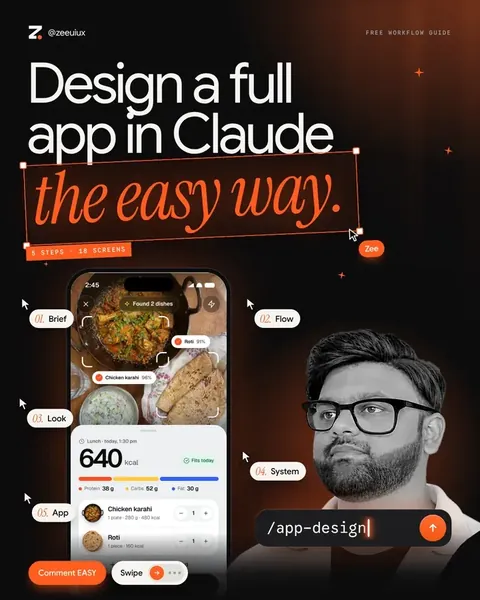 1/9Video & reels
How we made a $1,200 video with AI.
A real client video. 9 steps and 10 prompts.Open the guide 1/23